Do you want to create job descriptions online that are more than just a wall of text? To stand out in 2026, your JDs need to be hyper-consistent, inclusive, and optimized for search. Here are 8 job description builder tools to help you:
- draft high-impact JDs in seconds using Generative AI.
- eliminate hidden bias with real-time inclusivity scoring.
- switch to “Skills-First” hiring by prioritizing competencies over degrees
So you can attract top talent. Let’s dive in.
1. Ongig Text Analyzer Job Description Builder
Text Analyzer is a job description builder tool that helps you create the best job ads fast. Ongig’s cloud-based software has a database of 10,000+ biased words with inclusive replacements.
It also acts as a repository so users can easily access approved templates or job descriptions (based on their access permissions).
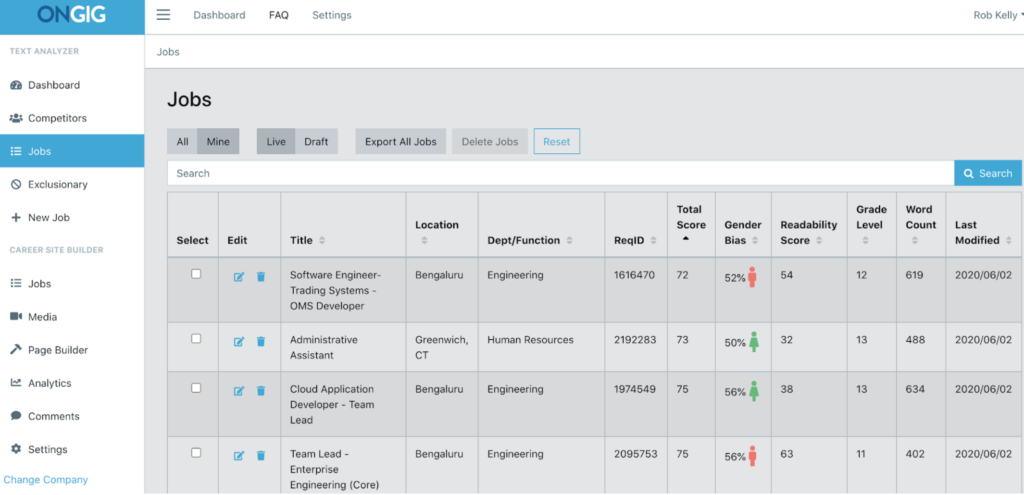
Text Analyzer scans JDs for:
- bias (gender, race, disability, sexual orientation, age, elitism, neurodiversity, mental health, and more)
- complex words (e.g., “in order too,” “in accordance with”, and other “legalese”)
- missing sections (Salary & Benefits, Diversity Statement, About Us, EEO, and others)
- extra long lists of requirements (that might deter candidates from applying)
- excessive adverbs and run-on sentences (that make JDs harder to read)
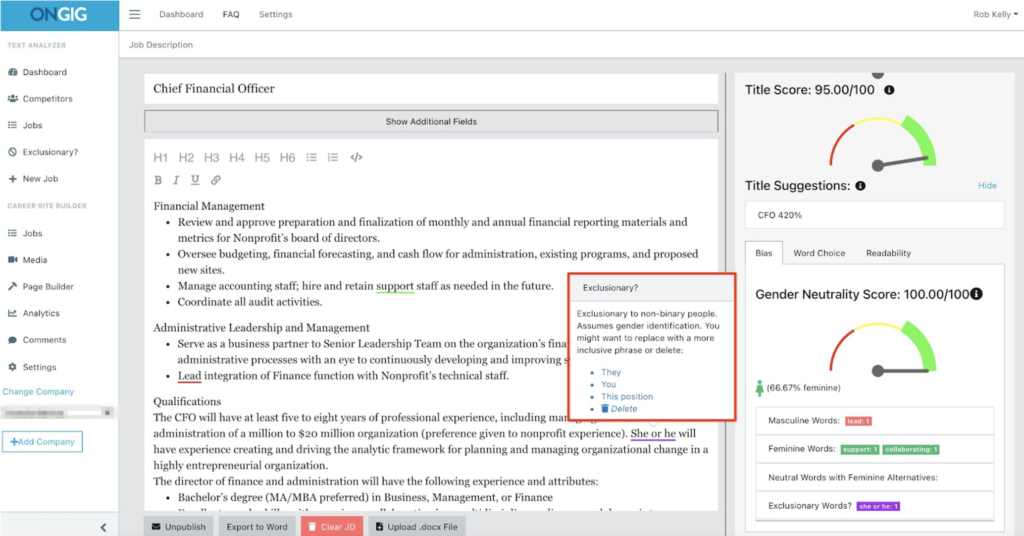
…and suggests more inclusive language, SEO-friendly job titles, and other tips to help you write better JDs.
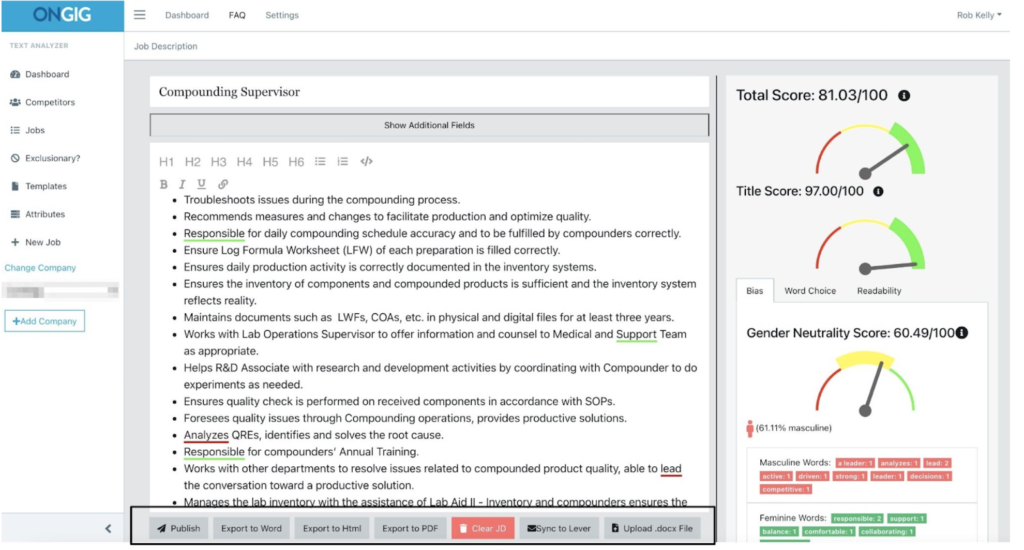
Once you create job descriptions online using Text Analyzer, you can export them to PDF, Word, and HMTL (easy copy/pasting)…or sync them to your applicant tracking system (ATS).
Revolutionizing Job Posting with Ongig’s Text Analyzer
AI-Assisted JD Writing
- From Scratch: With Ongig’s Text Analyzer, creating job postings from scratch is now a breeze. Simply input the job title, and let the AI do the rest.
- Custom Templates: Tailor your job descriptions for consistency and compliance by selecting the sections you want to include based on custom templates.
- Effortless Generation: Click the “Generate Now” button, and watch as Text Analyzer uses AI to craft a polished job description ready for use or further editing.
Content Optimization
- Reducing Bias: Combatting bias is crucial in today’s hiring landscape. Text Analyzer’s “Optimize Content” feature shortens long sentences and reduces masculine bias, ensuring fair and inclusive job descriptions.
- Score Improvement: Witness your job posting’s score soar as Text Analyzer’s AI fine-tunes your draft. From an initial score of 79.5% to an impressive 83.3%, your postings will command attention.
Further Customization Options
- Gender Neutrality: Promote inclusivity by replacing feminine words with gender-neutral alternatives. Text Analyzer empowers you to create job descriptions that appeal to a diverse pool of candidates.
- Exclusionary Term Removal: Ensure your job postings are free from exclusionary language by removing any identified “exclusionary words,” fostering a welcoming and inclusive work environment.
Streamlined Export and Integration
- Export Options: Easily export finalized job postings to various formats, including Word, PDF, or HTML, for seamless sharing and distribution.
- ATS Integration: Seamlessly integrate your job postings with your Applicant Tracking System (ATS) through API integration, streamlining your recruitment process and maximizing efficiency.
Discover the Power of Text Analyzer
Ready to harness the full potential of Ongig’s Text Analyzer? Request a demo today and explore how these innovative features can elevate your hiring process and attract top talent.
Enterprise-level pricing starts at $11,999/year and is based on company size, JD volume, and the size of your job description library (if you have one). You can request a demo to learn more about the features and pricing.
2. Jobsoid Job Description Generator
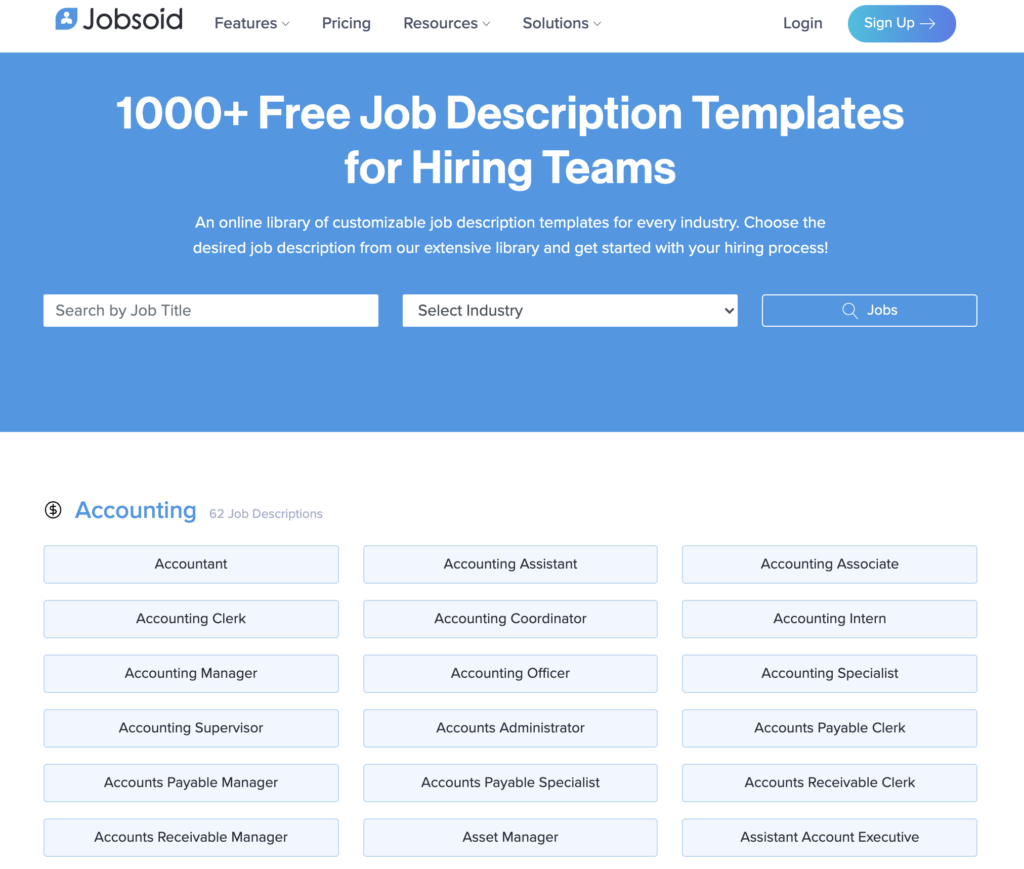
Jobsoid is a cloud-based recruiting solution used by startups, agencies, and growing businesses. Their free job description generator provides access to an online library of over 1000+ templates to help you draft JDs quickly. Each template includes a role overview, general duties, and requirements.
So, all you need to do is choose a job title (or job family) to get templates you can customize.
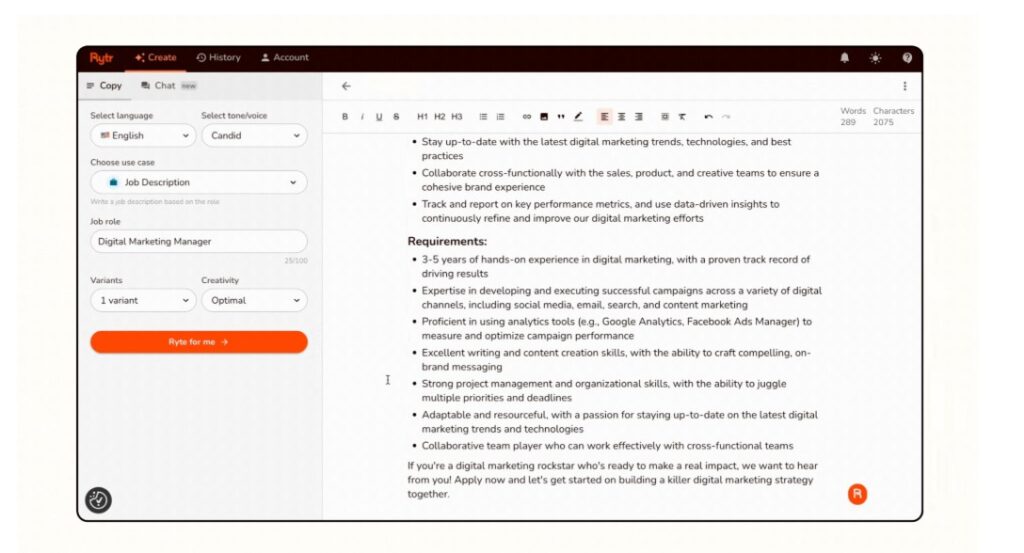
3.Rytr Job Description Builder Tool
Rytr is a smart tool that also uses AI (Artificial Intelligence) to assist you in creating job descriptions. It’s like having a helpful assistant that understands your needs. So, with Rytr, you have the freedom to personalize the job description according to your preferences. You can choose the way it sounds, the writing style, and also the specific details you want to include. With this, you can make sure that the job description perfectly fits what you’re looking for. Thus, it makes the hiring process much easier and tailored to your unique needs.
Here are the 4 steps you’ll take:
- Choose a language from 30+ language types
- Select one of the 20+ tones from a drop-down list (e.g., candid)
- Choose “Job Description” as your use case
- List some keywords, phrases, or titles and click Ryte for me
You can now use Rytr directly within your ATS (Applicant Tracking System) or Gmail via its browser extension to tweak job posts on the fly. Every JD generated can be instantly scanned to ensure your content is unique and won’t be flagged by search engines.
4. Jasper Job Description Builder
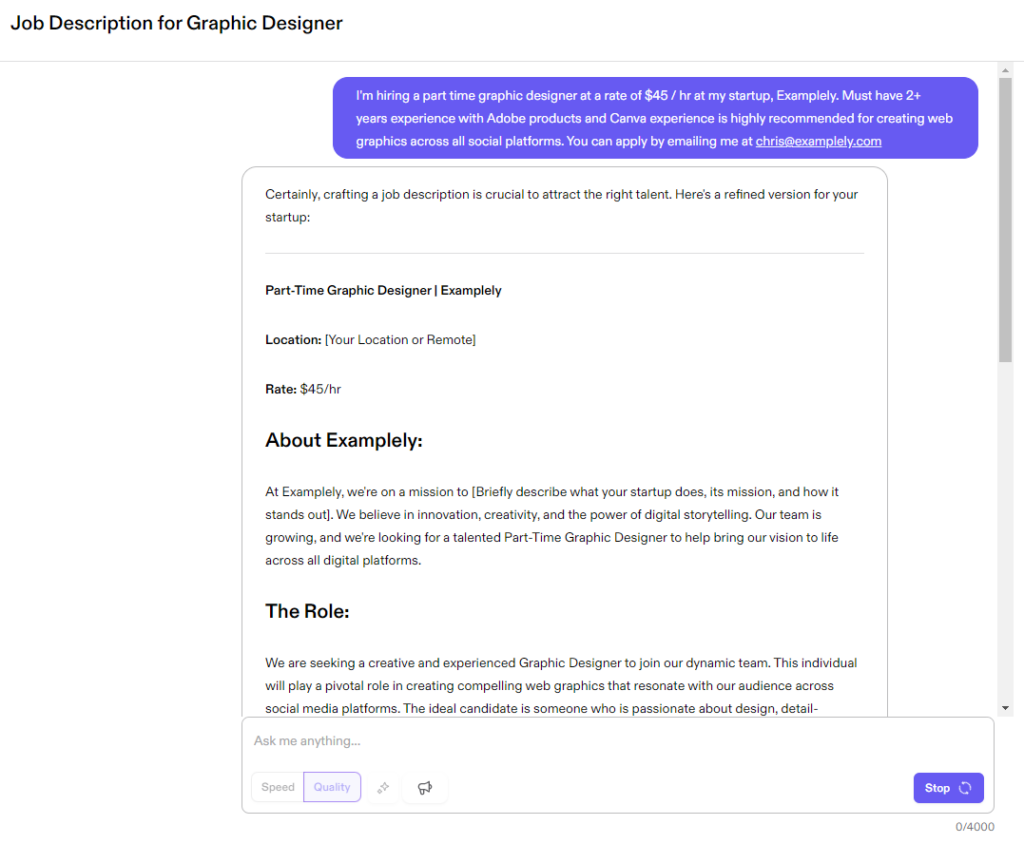
Jasper’s Job Description Builder is an innovative AI-powered platform designed to revolutionize the way you create job postings.
With Jasper, you don’t need to be a writing expert. Simply input the necessary details, and watch as the intuitive interface works its magic. Customize your descriptions with ease, ensuring they align perfectly with your organization’s unique needs.
Why Jasper?
- Enjoy a variety of customization options to create descriptions that resonate with job seekers.
- You can upload your company’s style guide so that every JD generated sounds like it was written by your internal team, not a generic robot.
- Jasper currently supports over 30 languages
- With its browser extension, you can use Jasper directly inside your ATS (like Greenhouse or Lever) to refine your job postings without switching tabs.
5. LazyApply AI-Powered Job Description Builder
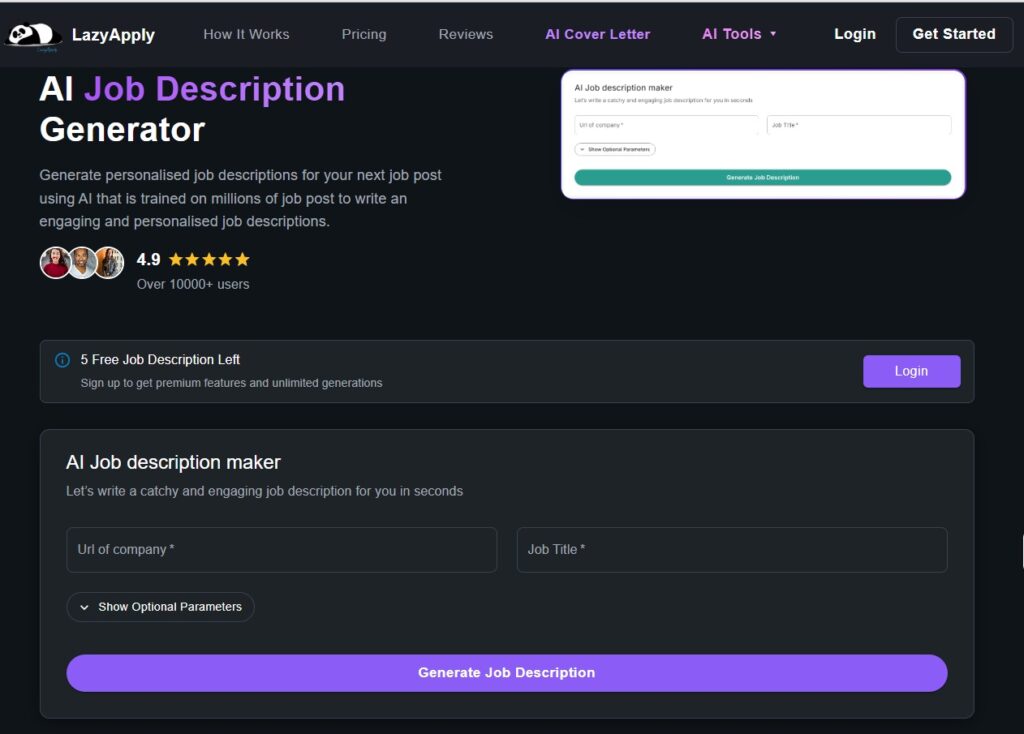
This quick, user-friendly, and completely free tool transforms the job posting process. Simply enter your company URL and click ‘generate’ to unleash dynamic job descriptions tailored to your organization’s needs:
- LazyApply has 14 customization parameters, giving you more granular control than a simple text prompt.
- Company URL Scanning: Highlighted so recruiters don’t have to explain their company to the AI every single time.
- “Bot-Readable” Context, making JDs readable for AI agents
- Free Forever
6. Testlify Job Description Generator
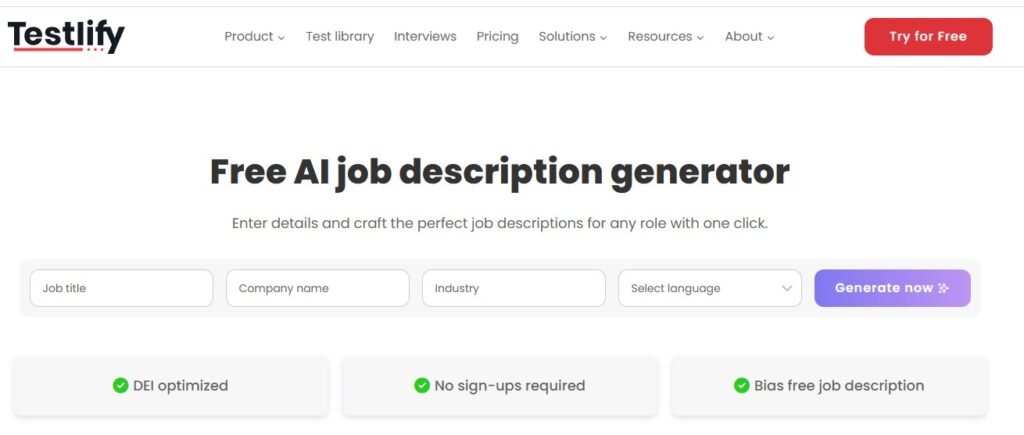
Testlify’s AI-generated job descriptions are DEI-optimized and bias-free. No sign-ups are required to use this free tool. Just enter job title, company name, industry, select language, then click ‘Generate now’ and receive your JD.
They have an FAQs section for more information on job descriptions and using the generator.
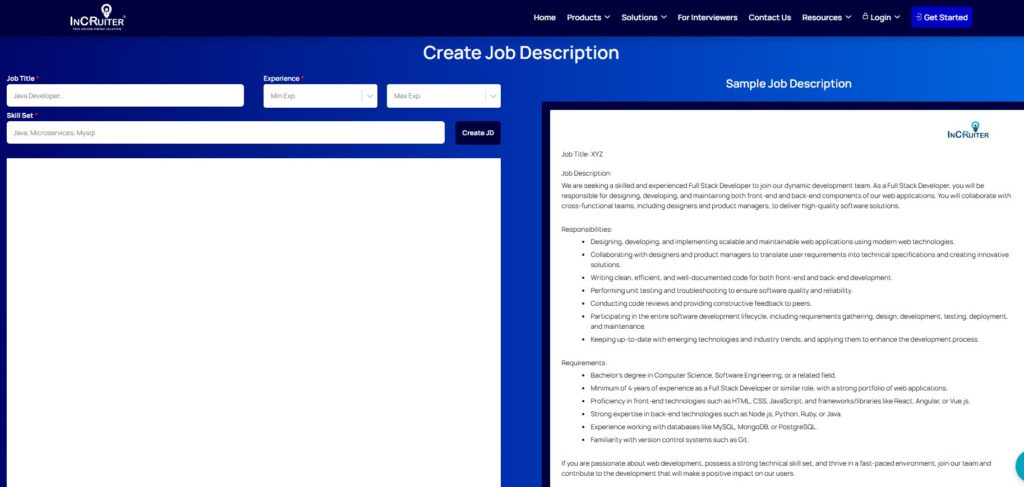
7. InCruiter Free Job Description Generator
Their JD generator works by adding the job title, experience, and skill set, then click ‘Create JD’ button.
Incruiter’s JD tool generates job descriptions that match role-specific requirements with real-time keyword alignment with industry standards for easy-candidate matching.
Moreover, their JDs are ATS-friendly and compatible with major job boards.
8. Notion’s Job Description Generator
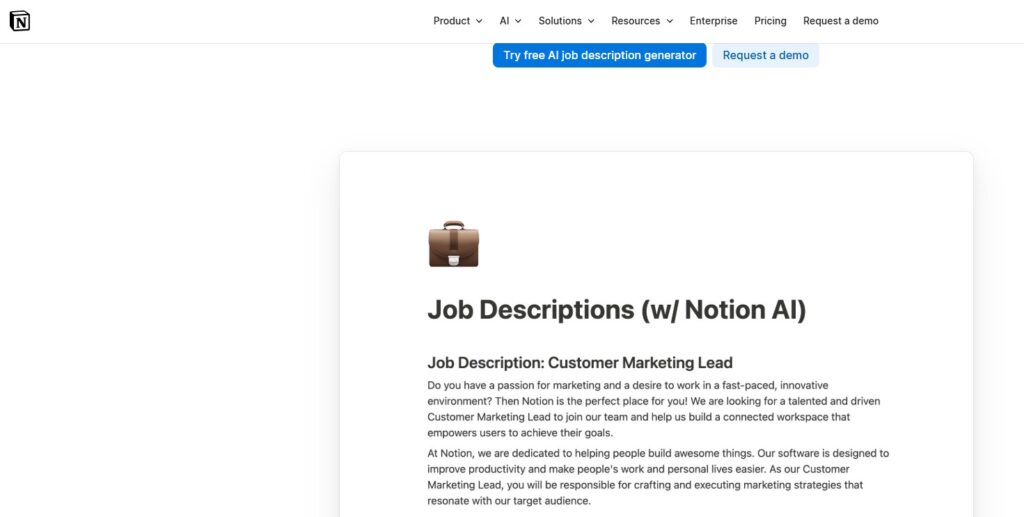
Use Notion AI to write your job descriptions. You can customize it to include keywords that attract high-quality candidates.
First, you need to create a Notion account and enable Notion AI. You can either use a JD template or create your own system. Plug relevant JD information and write prompts and adjust as needed.
Depending on your Notion plan, you might be able to generate some descriptions for free. Paid plan is $10 per month for every member of your team who’s using it. It’s a job description keyword generator, researcher, and writer all in one.
Unlock the Power of Efficiency: Invest in a Job Description Builder Tool
In today’s competitive job market, crafting compelling and accurate job descriptions is essential to attract top talent and streamline the hiring process. Investing in a job description builder tool offers a ton of benefits that can significantly impact your recruitment efforts.
Save Time and Effort
With a job description builder tool, creating job postings becomes a breeze. Say goodbye to hours spent writing and formatting descriptions from scratch. These tools leverage Generative AI to draft custom descriptions from a simple prompt, pulling from real-time market data to ensure your requirements are competitive.
Ensure Accuracy and Consistency
Accuracy and consistency are key when it comes to effective job descriptions. Job description builder tools help ensure that job requirements, qualifications, and responsibilities are clearly outlined and standardized across all postings. This consistency not only enhances the candidate experience but also helps attract the right candidates for the job.
Tailor Descriptions to Your Specific Needs
Every job role is unique, and so are its requirements. Job description builder tools offer customization options that allow hiring managers to tailor job descriptions to their organization’s specific needs. Whether it’s highlighting soft skills, work experience, or technical requirements, these tools enable you to create detailed and targeted descriptions that resonate with potential candidates.
Promote Inclusivity and Diversity
Inclusive language and diverse representation are paramount in today’s workplace. Job description builder tools equipped with AI capabilities can help reduce bias and promote inclusivity by suggesting gender-neutral language and removing exclusionary terms. This ensures that job postings appeal to a diverse pool of candidates and foster a more inclusive hiring process.
Maximize Recruitment ROI
Investing in a job description builder tool is not just about creating job postings—it’s about maximizing your recruitment ROI. By attracting the best candidates for the job and streamlining the hiring process, these tools help save time, reduce costs, and ultimately lead to better hiring decisions.
In an era where talent acquisition is more competitive than ever, investing in a job description builder tool is a strategic move for any organization. From saving time and ensuring accuracy to promoting inclusivity and maximizing recruitment ROI, the benefits are undeniable. Explore the best job description generator tools available and take your recruitment efforts to new heights.
Modernize with skills-based hiring
Leading JD builders now prioritize specific competencies and verifiable skills over traditional degrees, helping you tap into a broader, more capable talent pool.
Stay compliant automatically
Modern builders help you stay ahead of legal requirements by automatically prompting for salary ranges and ensuring your JD meets local pay transparency and EEO laws.
Defining Success: Strategies for Crafting Effective Job Descriptions
Crafting effective job descriptions is a critical step in attracting top talent and driving organizational success. Whether you’re a hiring manager, recruiter, or business owner, mastering the art of job description creation can significantly impact your recruitment efforts. Here are some strategies to help you create job postings that stand out on job boards and resonate with job seekers:
1. Understand Your Audience
Before drafting a job description, take the time to understand your target audience—job seekers. Consider their preferences, motivations, and priorities to tailor your job postings effectively.
2. Clearly Define Job Requirements
Be specific and concise when outlining job requirements. Clearly state essential qualifications, skills, and experience needed for the role to attract qualified candidates.
3. Highlight Soft Skills and Work Experience
In addition to technical skills, emphasize soft skills and relevant work experience that are essential for success in the role. This helps paint a holistic picture of the ideal candidate.
4. Use Professional Language. Inject your Brand Voice
Craft job descriptions using professional language. Avoid jargon to ensure clarity and accessibility for all potential candidates.
Tweak your JD to make sure it accurately reflects your company’s values and culture. Incorporating your brand voice is about whether you sound like your company (e.g., “quirky” vs. “corporate”).
5. Leverage Job Description Builder Tools
Use the best job description generator tools equipped with AI capabilities to streamline the job description writing process. These tools can help create accurate, detailed, and attractive job descriptions tailored to your specific needs.
6. Optimize for Search
Incorporate relevant keywords and phrases into your job descriptions to improve visibility on job boards and attract potential candidates searching for specific roles.
7. Promote Inclusivity and Diversity
Create job descriptions that promote inclusivity and diversity by using gender-neutral language, removing biased language, and showcasing a commitment to diversity and inclusion initiatives.
Use tools to ensure JDs aren’t overwhelming for neurodivergent candidates (e.g., removing “wall of text” formatting).
8. Provide Clear Job Duties and Responsibilities
Clearly outline job duties, responsibilities, and expectations to set clear expectations for potential candidates and ensure alignment with the role’s objectives.
9. Review and Revise Regularly
Regularly review and revise job descriptions to ensure accuracy, relevance, and alignment with changing organizational needs and industry standards.
Make sure to benchmark your JD to current labor market trends. Some JD tools can tell you if your required “5 years of experience” is out of touch with the current market for that role.
10. Seek Feedback and Iterate
Seek feedback from hiring managers, recruiters, and team members to continuously improve job descriptions and optimize recruitment efforts.
By implementing these strategies and leveraging the right tools, you can create job postings that attract the best candidates, drive organizational success, and position your company as an employer of choice in today’s competitive job market.
Why I Wrote This?
Finding the right candidate for the job starts with a great job description. Ongig helps you build JDs that are effective and inclusive so you can hire top talent. Plus, it can also help you improve your JD workflow.
