Using SharePoint tricks you into thinking you’re managing your JDs well. After all, you get to upload, store, and organize your JDs into folders.
But over time, you realize the tool isn’t working well for your job description management process. This is because SharePoint can’t handle a comprehensive job description process.
So, in this article, I’ll help you understand when it’s time to switch from SharePoint to job description software to manage JDs effectively.
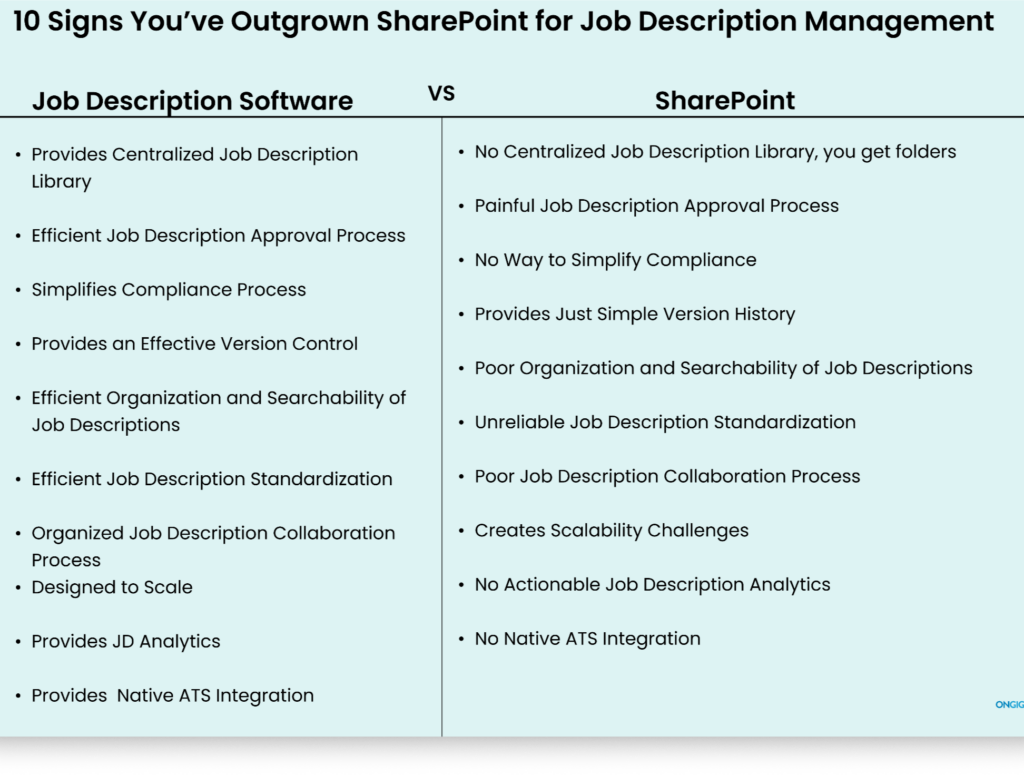
1. Lack of Centralized Job Description Library
If there’s one critical element you need to manage your JDs, it’s a live cloud job description library.
A library to access any information you want concerning your JDs and manage your JD process from drafting to publishing.
But here is where using SharePoint for job description management fails.
The tool only provides files and folders. And this approach doesn’t work well even if you’re managing a few JDs. So you frequently experience different challenges such as:
- No one’s ever sure where to find the right JD version
- Chaotic collaboration because of working with different tools
- There’s no way to build a good JD review and approval process
- Publishing JDs with confusing content because there’s no live content guidance
- Always creating your JDs from scratch because you have no approved JDs to use as templates or for inspiration
With these challenges, you spend most of your time fixing processes instead of working on the JDs.
HOW JOB DESCRIPTION LIBRARY SIMPLIFIES JOB DESCRIPTION MANAGEMENT
With JD platforms, forget drowning in different tools trying to find what you need.
JD tools provide you with a single cloud-based library. For example, Ongig provides a JD library that simplifies your JD management process; here’s how:
- Centralized Cloud Library: Not a folder like in SharePoint, but one central location where you can store and manage all your JDs, whether internal or external. Simply put, anything you need for your JD management process is in one place. For instance, if you want to build an approval workflow, the software makes that process easy. And you don’t need tech-savvy skills as you would with SharePoint.
- Filtering and Dynamic Search: No drowning in different docs trying to find the JDs you want. Use filters for custom fields, title, location, and business unit to find the JDs you want.
- Custom Views: Users can create their own views to understand what they want. For instance, if the legal team wants to create a view of the JDs they want to work on, it’s easy.
- Effective Version Tracking: Easily see who edited what, why, and when. This reduces conflicting edits and makes it easier to collaborate on JDs.
- Bulk Capabilities: If you have new updates for the same job descriptions, such as new EEO statements, there’s no need to update them one by one. The software makes it easy to update a batch of JDs. This saves you many hours each week.
2. Painful Job Description Approval Process
A job description that needs three approvers shouldn’t take weeks for approval.
But when you use SharePoint for job description management, approval chaos becomes common.
Yes, SharePoint offers a way to create approvals, but building an approval workflow in the tool requires IT skills that most teams that manage JDs lack.
Plus, there’s no streamlined way to build a job description approval workflow that provides visibility into your JDs, as job description software would.
Because of this, your approval process has issues such as:
- No Approval Visibility: There’s no way to understand what’s happening with your approval process. For instance, you can’t see the JDs in review, the stuck JDs, and the approved JDs.
- No Approval Ownership: No one knows what tasks they’re responsible for when it comes to approval because you haven’t defined everyone’s tasks clearly.
- Vague Approval Steps: No one’s sure who should approve first so the next person can proceed.
- No Approval Reminders: There’s no way to alert someone that their turn to approve has arrived.
This poor approval process slows down the entire job description workflow.
HOW JD SOFTWARE SIMPLIFIES JD APPROVAL FOR JOB DESCRIPTION MANAGEMENT
JD platforms make your approval process easier in these ways:
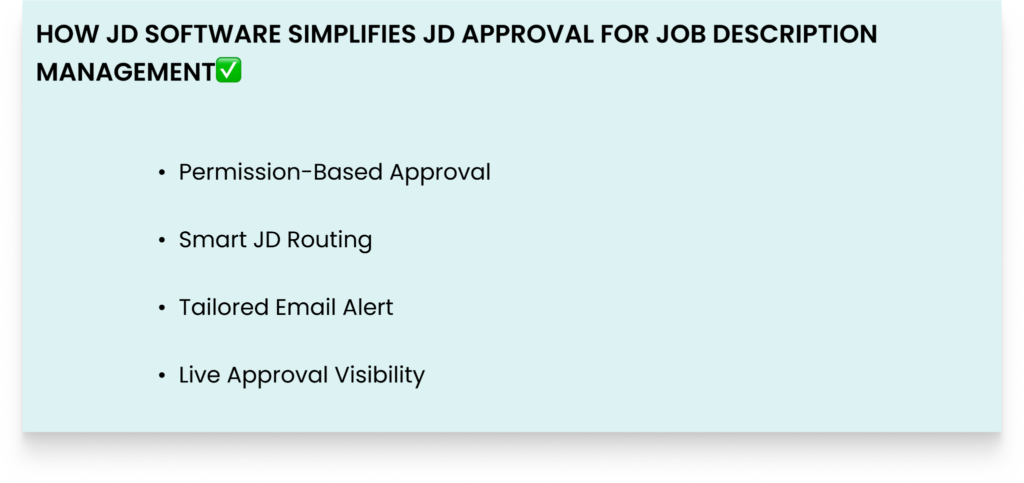
- Permission-Based Approval: For clear JD ownership, don’t let anyone approve work they aren’t supposed to approve. With JD software, assign everyone access only to the tasks they’re approved to do.
- Smart JD Routing: You have a workflow that ensures the JD passes through the right person before it’s published.
- Tailored Email Alert: You get to build an automated email notification that’s sent to the right person when it’s their turn to approve. It includes a link to the JD that needs their approval.
- Live Approval Visibility: To understand what’s working and not working concerning your approval process, you get visibility into guidance. For instance, you can see stuck JDs, the JDs in review, and the approved ones. This way, you can optimize the process.
3. Lack of Effective Job Description Compliance
Your job description is also a legal document.
Before you publish it, it’s critical to ensure it doesn’t conflict with employment laws in your country and state.
For instance, the JD must comply with pay transparency laws, account for inclusion-related factors, and support exempt and non-exempt classifications.
But when using SharePoint for JD management, maintaining compliance becomes challenging.
This is because SharePoint just stores JDs, but the tool can’t help you understand if your JDs are compliant. For instance:
- The tool can’t flag biased words in your JDs
- You won’t get a flag that you’ve forgotten to include critical compliance sections
- The software won’t let you know that your JDs are missing salary ranges in states that require pay disclosure.
- The platform won’t highlight that you’ve omitted essential functions
- There’s a poor approval process that makes it easy to publish dismissive JDs
With these challenges, you produce non-compliant JDs that also prevent some candidates from applying to your job openings.
HOW JD SOFTWARE MAINTAINS COMPLIANCE IN JOB DESCRIPTION MANAGEMENT
JD tools simplify compliance in these ways:
- Effective Approval Process: You get an organized approval workflow. Before you publish a JD, it’s approved by the right approver.
- Pay Transparency Guide: If you publish a JD without a salary range, the software flags your JD.
- Flags Discriminatory Language: Dismissive words or phrases toward different types of candidates get flagged. The tool provides inclusive synonyms to use.
- JD Audit Trails: You can see who changed what and the changes made. This audit trail can become helpful when you face labour issues concerning your JDs.
4. Confusing Version Control Process
When managing JDs, you need a way to understand the whole process. You need to know who changed what, why, and when.
Who has the time to backtrack through different files and docs titled “JD_REAL_FINAL_FINAL.docx” trying to understand the latest version of the JD document they need?
But when you use SharePoint to manage JDs, the process operates blindly. It becomes difficult to understand what’s happening.
Now, with this poor version control, more challenges arise. For example:
- Everyone follows their own formatting guidelines
- Confusing edits arise because of overwriting already approved work
- Writing JDs from scratch each time because you can’t find a good version to use as inspiration
Without an overview of your process, you produce JDs that don’t match your organization’s standards.
HOW JOB DESCRIPTION SOFTWARE SIMPLIFIES VERSION CONTROL
Here’s how JD tools help with version control:
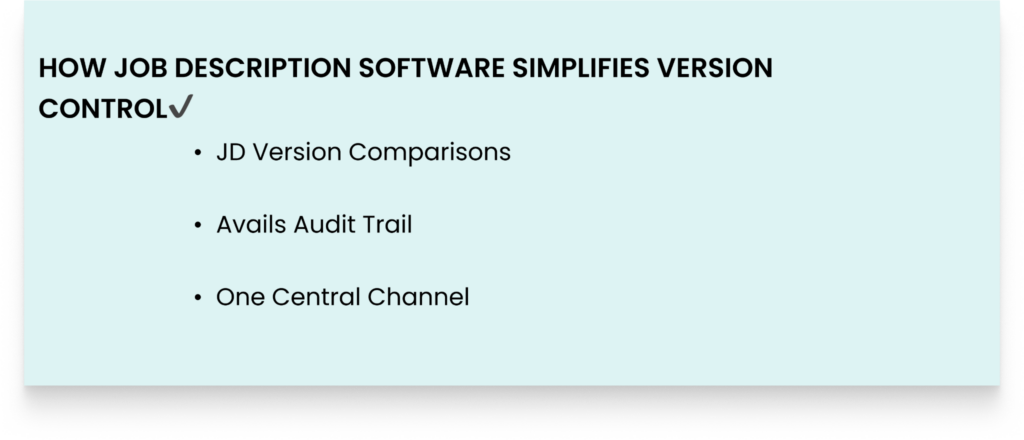
- JD Version Comparisons: Easily compare your JD documents side by side to understand changes and decide which changes to implement.
- Avails Audit Trail: See the entire creation process of the document. You can see who worked on what, the time they worked, and the reasons for the changes.
- One Central Channel: All your JDs are in a single place, so it becomes easy to search and get the version you want. No more wondering where to find the latest JD version.
5. Poor Organization and Searchability of Job Descriptions
Picture this: you want to open a new content marketing role, and save time by reusing the closest JD you already have.
So you search your SharePoint folder, and you get many different, unhelpful results, including old versions. It becomes confusing since you can’t tell which is the current approved JD document.
You give up and decide to write a new JD from scratch.
So why is this happening? SharePoint keeps JDs as files in libraries and folders.
If you have a few JDs, this approach will fulfill your needs. But once you’re dealing with many JDs, the folder approach becomes a mess. And search becomes limited.
Lastly, it becomes difficult to identify inconsistencies and overlaps across your roles.
HOW JD SOFTWARE HELPS WITH SEARCH AND ORGANIZATION WHEN MANAGING JOB DESCRIPTIONS
Here’s how JD tools improve the searchability and organization of JDs:
- Centralized Library: The tools eliminate folder-searching chaos. All your JDs stay in one place.
- Saved Views and Filtering: Search your JDs by keywords, job title, department, and any phrase you want to use. Plus, easily save a view of content you want to see.
- Organized Data: Easily find the JDs you want by looking up skills, location, family, department, and more. Unlike SharePoint, where these attributes are file names, in a JD tool, these are fields, thus simplifying your search.
6. Unreliable Job Description Standardization
Standardizing job descriptions when using SharePoint isn’t easy. The process becomes challenging because of:
- No Content Controls: There’s no way to lock in critical mandatory fields for standardization across JDs. Anyone can edit what they want. And the tool won’t alert the person that they’ve deleted critical JD sections.
- Confusing Version Control: Yes, the tool tracks version history. But the design makes it easy for someone to restore unwanted JD versions, overwrite another person’s work, and create multiple duplicates.
- Challenging JD Approvals: It’s not easy to build a simplified JD approval workflow for easy standardization. You need IT skills to build one.
- No Templates: There’s no easy way to build templates that you can apply to your JDs. So your work always starts from scratch.
HOW JOB DESCRIPTION SOFTWARE HELPS STANDARDIZE JOB DESCRIPTIONS
Here’s how JD tools help with standardization:
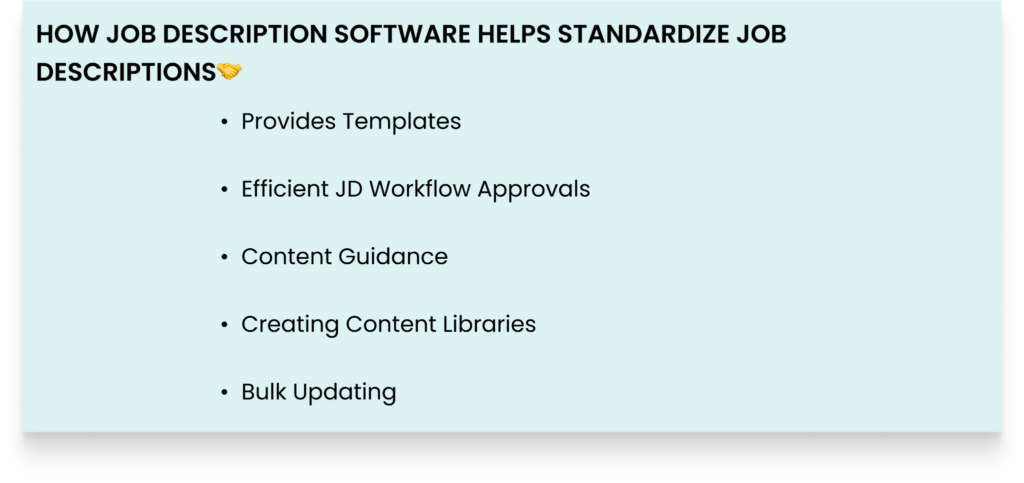
- Provides Templates: You get job description templates you can customize to fit your needs. For instance, the templates contain all essential job description sections such as job title, salary, benefits, responsibilities, and more. Plus, you can lock some sections that not everyone should edit.
- Efficient JD Workflow Approvals: Before you publish the JD, it’s routed to the right reviewer for approval. So the chances of publishing a JD with consistency issues are minimal.
- Content Guidance: As you create a JD, the platform provides live content help to eliminate content issues in your JDs, such as biased language, missing JD sections, and hard-to-read sentences.
- Creating Content Libraries: Easily create content components for shared elements such as benefits, legal disclaimers, approved language, and company boilerplate. This way, you don’t always start your JD creation from scratch for everything.
- Bulk Updating: If you have organization-wide updates such as benefits, easily apply the update to hundreds of JDs instead of updating one by one.
7. Poor Job Description Collaboration Process
For your job description process to succeed, you need to make it easy for the team to work together.
But if you’re using SharePoint, frequent collaboration challenges occur.
Yes, SharePoint offers @mentions and comments, but that only works well for small teams editing a single document, not for the comprehensive JD collaboration process.
By using SharePoint, you’ll often have painful collaboration questions. For instance, one team asks, “Why are these edits not what we suggested”?Another team asks, “Who’s supposed to approve this document?” Another team asks, “Why is approval taking so long”?
In a centralized working area, all collaboration happens there, and your teams can:
- Provide feedback in one place
- Approve the JDs in one place, eliminating issues of who’s approving what.
- See all JD versions in one place, eliminating the risks of working on outdated documents.
- Only work on what they’re supposed to work on because they have the appropriate permissions.
This structured collaboration process saves you hours that you can now use for other JD tasks.
HOW JD SOFTWARE ORGANIZES JD COLLABORATION FOR ORGANIZED JOB DESCRIPTION MANAGEMENT
With job description tools, collaboration becomes easy because:
- You Get a Centralized Library: Everything concerning your JD process happens in one place. So if anyone on your team wants information or help, they know where to check. For instance, if they want to check for feedback, they’ll find it tied to the specific section they want.
- Role-Based Permissions: To minimize unauthorized access and conflicting edits, everyone writing the JD has specific access to do only the tasks they’re supposed to do.
- JD Audit Trail: You gain visibility into everyone’s tasks because the software logs all changes, including the person responsible for the change. This reduces back-and-forth questions about who did what.
8. Creates Scalability Challenges
SharePoint feels okay when managing just a few job descriptions. But the tool becomes challenging when your organization’s demand for more JDs increases.
Every new business unit, department, or role creates more folders and more files.
And for a structure designed for around 30 JDs, it stops working well once there’s an increase in JDs. And this creates challenges such as:
- More confusing JD version documents to reconcile
- More approvers to chase for approval
- No reliable ATS integrations, so each time you’re copying and pasting many JDs content from SharePoint into your ATS.
- The job description folders and files are breaking down
And rising maintenance costs because SharePoint environments require tech-savvy people.
HOW JD SOFTWARE HELPS WITH SCALABILITY FOR JOB DESCRIPTION MANAGEMENT
Here’s how JD software tools help:
- Designed to Scale: JD tools can handle as many JDs as possible as your needs grow. You can manage an unlimited number of JDs without any challenges.
- Cloud-Based JD Library: Simply log in to your account and manage your JD library that contains an unlimited number of JDs without encountering any limitations.
- Bulk Editing: Quickly edit an unlimited number of JDs, and still the tool won’t slow down.
- Efficient JD Workflows: Your JD creation workflows, such as approval workflows, work the same even if your JD needs rise. So if your JDs increase to 200 from 50, it won’t mean you have to redesign your processes.
9. No Actionable Job Description Analytics
When you use SharePoint for job description management, you get no data to understand your process.
SharePoint only shows you the number of files you have. For instance:
- There’s no way to understand the number of hard-to-read JDs
- You can’t pinpoint the non-compliant JDs
- It’s impossible to understand which JDs have biased language
- You can’t understand the JDs in draft and the ones that are stuck
- It’s impossible to study your JD management process to understand where you need to improve
- It’s challenging to try to understand your approval process
Without reliable job description data, you end up operating your hiring process with poor clarity.
It also becomes hard to show how recruitment helps the business achieve its goals.
HOW JD SOFTWARE HELPS WITH JOB DESCRIPTION ANALYTICS FOR JOB DESCRIPTION MANAGEMENT
Here are some of the ways JD Software helps you understand your JDs through data:
- Inclusion and Bias Analytics: The tool shows you how inclusive your JDs are. You can analyze and identify problematic words and get synonyms to replace biased words.
- Readability Analytics: You get an overview of issues making your JDs hard to read. For instance, the tools can show words to delete, sentences to shorten, and paragraphs to delete.
- Compliance Analytics: Easily spot the legal risks looming in your JDs. For instance, the tools can flag your JDs that lack critical legal components.
- JD Score Analytics: You get a numerical score that improves as you optimize the different areas in your JDs.
10. No Native ATS Integrations
When using SharePoint for job description management, all your JDs live in silos. There are no ATS integrations.
So this means you’re always copying and pasting your JDs from either Google Docs or Microsoft Word, hand by hand, into your ATS system.
And this is where challenges begin. Your JD formatting gets ruined, some sections start missing, and your JD requirements start getting written differently each time.
When you post your JD, you realize the version you wrote earlier differs from what was posted. So you pull off the JD to start working on it again.
HOW JD SOFTWARE HELPS WITH ATS INTEGRATION FOR JOB DESCRIPTION MANAGEMENT
Efficient JD tools have ATS integration with different ATS providers.
This integration saves time by pushing your approved JDs directly into your ATS.
This process keeps your JD content, levels, requirements, and formatting consistent.
Even when new updates and edits occur, changes flow automatically with no manual writing needed.
FAQs: Signs You’ve Outgrown SharePoint for Job Description Management
1. Can I use SharePoint together with my Job Description Software?
It’s not ideal to work with two different platforms for your JDs. Job description software is enough to simplify your JD work.
2. Is Job Description Software Affordable for Managing Job Descriptions?
Yes, JD tools provide reasonable pricing depending on your needs. For example, if you’re a small team, there’s no way you’ll pay as much as an enterprise organization with many JD needs.
3. What If I’m a Small Team and I just want to Continue Using SharePoint for Job Description Management?
Even small teams experience frequent challenges with SharePoint. And the fact that you’re a small team means you have more work in your hands. So it’s ideal to invest in JD software that frees up your time.
4. How Does Continuing to Use SharePoint Impact Our Recruitment Speed?
With SharePoint, you’re always fixing different issues that slow your recruitment process. With so many issues, you post your JDs late and miss out on top talent.
WHY I WROTE THIS:
At Ongig, we know all you want is an easy job description management process.
But using different tools for your JDs, such as SharePoint, adds too many tasks to your plate.
At Ongig, we help you simplify your entire job description process from drafting to publishing.
So schedule a demo today to learn how we can help you with your JD management.
