If you’ve ever tried to update hundreds of job descriptions at once, you know it can feel like swapping airplane parts mid-flight.
There’s volume. There are stakeholders. There’s that one paragraph Legal approved two years ago that can’t change by a single comma. And there’s formatting to preserve.
Consistent content and formatting protect your brand. It keeps compliance boxes checked and helps candidates quickly understand roles. However, it’s hard to do at scale when each JD is its own snowflake.
Don’t fret; this page covers job description updates. Keep on reading to learn how to update hundreds or thousands of JDs…without losing approved content and/or format!
Why Up-to-Date Job Descriptions Are Important
JDs are your 1st handshake with applicants
Clear job descriptions improve hire quality. They help you attract the right people. On the flip side, vague or outdated JDs create misalignment that spreads through interviews, onboarding, training, and performance.
The cost of a mismatch adds up fast. The CareerBuilder survey doesn’t lie: nearly 75% of employers have made a bad hire. The average cost reported is $14,900 per instance, usually due to unclear expectations and poor fit.
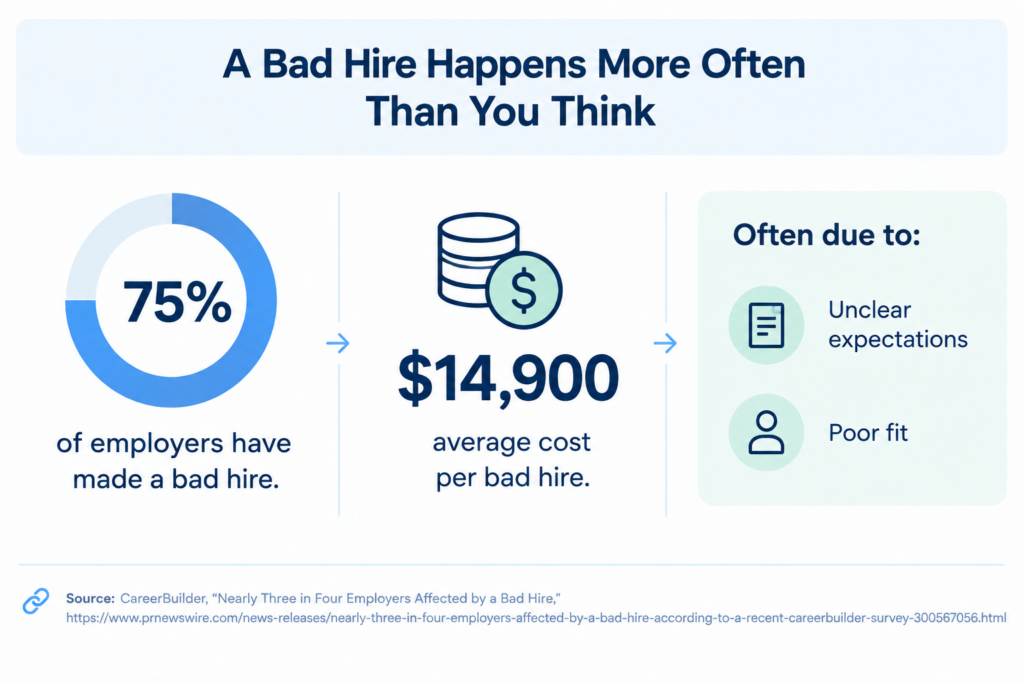
Image source: generated by the author via ChatGPT
Compliance matters just as much
Many employers must include salary ranges and EEO statements to meet state and federal rules.
Pay transparency laws are spreading across the U.S. They require salary ranges in postings in states such as New York City, California, Colorado, and Washington.
For a federal contractor, your postings must also align with OFCCP requirements. Ensure essential job functions and physical requirements are clear and non-discriminatory.
The market shifts quickly as well
Roles that didn’t mention artificial intelligence (AI) two years ago may need it today.
The World Economic Forum estimates 44% of workers’ skills will be disrupted in five years, with big changes in technology literacy and analytical skills. Keeping JDs in sync with real-world skills helps you hire for what’s coming. Not just what was!
Nowhere is this shift more visible than in FinTech. Where regulatory and digital demands evolve rapidly. Learn from Jeffrey Zhou, CEO and Founder of Fig Loans. He understands the importance of adapting to these changes while keeping financial products accessible and responsible.
Zhou suggests, “As financial technology evolves, job descriptions need to reflect the skills employees actually use…from data analysis to digital problem-solving. Regularly reviewing these requirements helps teams stay aligned with changing technology and customer needs.”
That’s why regularly updating JDs helps FinTech companies keep pace with technological change and hire people with the skills they need for the future.
Common Challenges in Updating Job Descriptions
Once you start, the blockers show up fast:
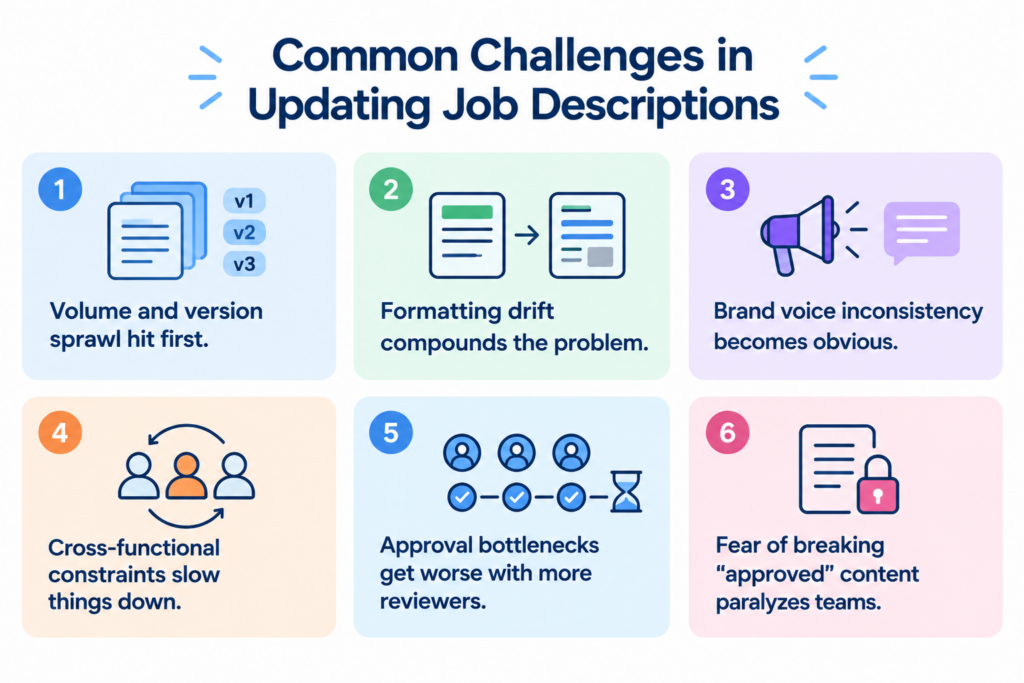
Image source: generated by the author via ChatGPT
- Volume and version sprawl hit first. Job libraries often live in a mix of ATS records, shared drives, PDFs, and “final-final” Word docs.
- Formatting drift compounds the problem. Even small style differences like list styles, headings, spacing, and other content formats add up to a messy candidate experience.
- Brand voice inconsistency becomes obvious. Like when one JD is buttoned-up legalese and the next sounds like a casual Slack message.
- Cross-functional constraints slow things down. Legal wants one thing and compensation wants another. But business leaders wanted it yesterday.
- Approval bottlenecks get worse with more reviewers. Unless you have clearly defined roles and SLAs.
- Fear of breaking “approved” content paralyzes teams. They worry bulk edits will overwrite hard-won language. That’s why they don’t touch anything, and the library ages.
In home services, keeping JDs current is essential as companies adopt new technologies and adjust to changing customer needs. Take it from Andrew Bates, COO of Bates Electric. He clearly understands the challenge of keeping hiring requirements clear and consistent.
Bates explains, “When job descriptions are scattered across different files and teams, even small updates can become difficult to manage. The solutions? Standardized templates and clear approval processes. They help ensure that hiring requirements stay consistent without losing important details about each role.”
How To Efficiently and Effectively Update Job Descriptions
1. Set up clear steps for updating
Speed without chaos comes from a plan. A good one keeps content quality and formatting intact while still moving fast. Here are crucial steps to follow for updating job descriptions:
- Build a single inventory. Pull every job description data into one tracker with the following:
- role name
- Family
- location(s)
- business unit
- volume of hires
- compliance needs
- last review date
- content owner
- Triage with clear criteria. Prioritize high-volume roles. Likewise, focus on posts with compliance exposure and clearly outdated content. What better way to accomplish this than to agree on “done” and due dates for Wave 1, 2, and 3?
- Start with a pilot. Update 20–30 roles to stress-test things, such as your templates, glossary, formatting rules, and approval workflow. Then, go ahead and scale to sync the whole JD process!
- Create a plain-language style guide. Keep text clear, sentences crisp, verbs active, and jargon light. Inclusive wording, such as gender-neutral phrases and sentences, reduces bias and widens your funnel.
- Map to a skills framework. Anchor duties and qualifications to O*NET or your internal skills taxonomy to keep language exact and current.
- Set guardrails for “must-keep” content. Mark sections that Legal/Compliance has approved so they can’t be changed without review. Everything else follows your style and templates.
2. Ensure consistency in content and formatting
Templates solve most of the consistency problems. They give each role family (Marketing, Sales, Engineering, Operations) a structure. This structure works because it’s familiar to candidates. And it’s easy for recruiters to use.
That said, here’s how to ensure consistent content and formats:
- Standardize structure. Agree on section names and heading order, including section names. That way, formatting stays consistent. Use styles…not manual formatting!
- Lock core sections. Freeze language for EEO statements, pay transparency, company benefits, and business overview. That way, they’re all identical everywhere. But if a regulation changes, you update one source and push it everywhere.
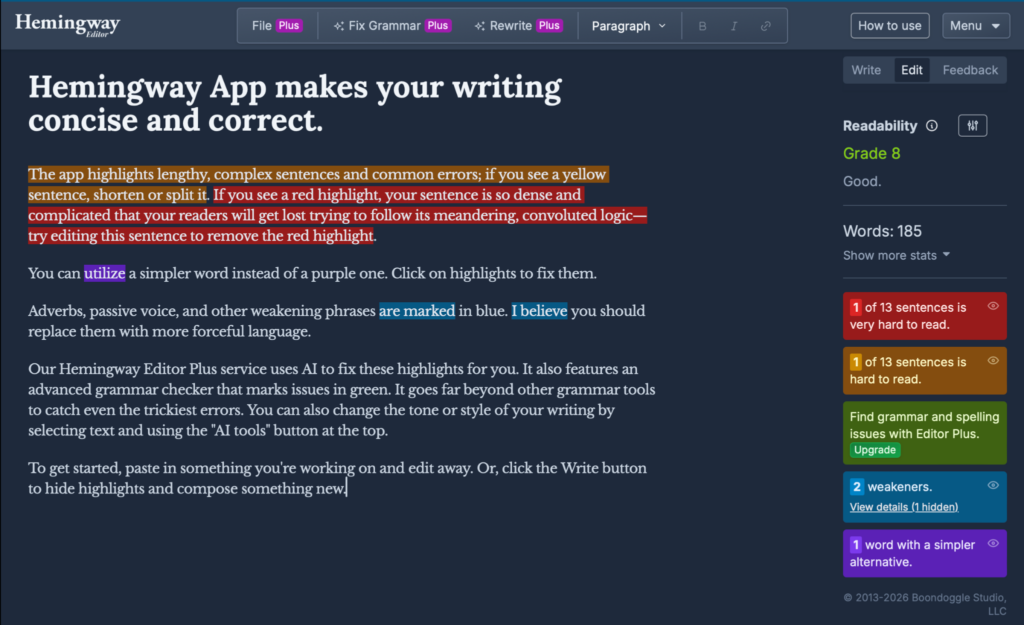
- Keep reading level in check. Aim for clear, plain language. Check JDs and ensure they’re at a seventh-grade level using tools such as Hemingway.
- Show, don’t stack. Replace long requirements lists with a crisp “must-have” set and a short “nice-to-have” set. Candidates don’t need 25 bullets to understand a job.
- Set up approval workflows with receipts. Route changes to the right people. For instance, hiring manager for duties, comp for pay ranges, legal for disclaimers. Keep an audit trail so you know who changed what and when.
3. Involve stakeholders in the update process
No one owns a JD alone. HR, recruiters, hiring managers, Compensation, Legal, DEI, and Comms. They all have a stake. So, give everyone a clear lane, and things move faster.
That said, here’s how to get all stakeholders involved in the update process:
- Define a RACI for each section. For example, responsibilities:
- Responsible = Hiring Manager
- Accountable = TA Lead
- Consulted = Department VP
- Informed = Legal
- Set SLAs and “quiet periods.” SLA is short for service-level agreements, crucial for stakeholder relationships in any business/organization. If a reviewer doesn’t respond in five business days, the change advances. This prevents the never-ending comments cycle.
- Host quick office hours. Ten minutes of live discussion can clear a week’s worth of threaded comments.
- Share before/after examples. People buy into a new standard when they see it and when it clearly helps candidates.
- Close the loop. Publish a working changelog so teams can see what changed and why it happened. It builds trust.
4. Use technology for bulk updates
The best JD software makes the difference between: “months of chasing comments” and “done this quarter.”
As you can see, the right setup helps you centralize your library and apply templates at scale. It lets you run the following:
- Inclusive-language
- Accessibility and readability
- Compliance checks
That said, you can bulk-edit with guardrails. Version history lets you compare changes side by side and roll back if needed. More importantly, integration with your ATS means you publish updates in one push and avoid copy-paste errors.
Let’s take Ongig’s platform, for instance, built for this kind of content-at-scale work.
Teams use it to standardize templates across role families. They also utilize it to scan for biased or exclusionary wording and keep reading levels candidate-friendly. Lastly, they leverage it to protect pre-approved sections. Take a glimpse of their JD software below:
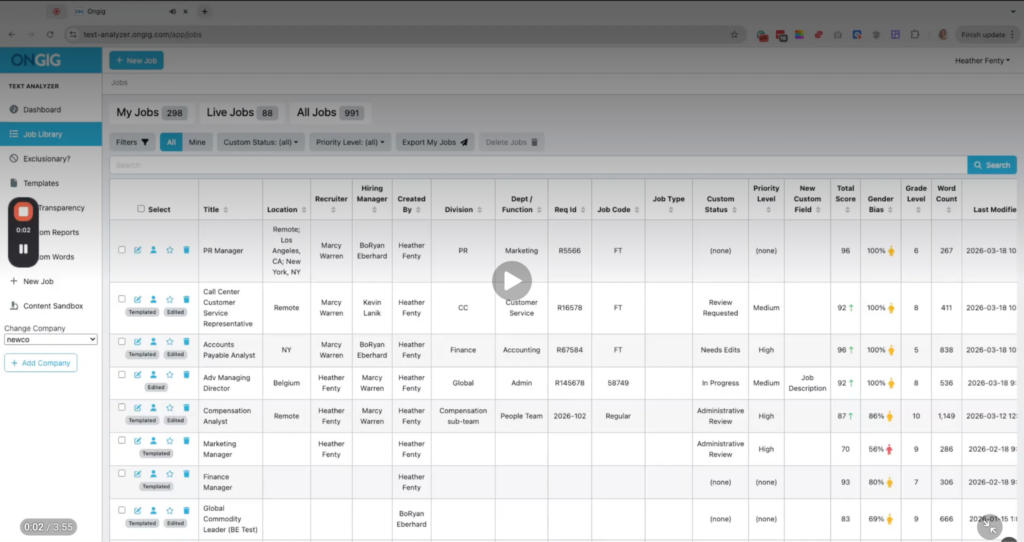
You can import your existing JDs, apply rules and templates, route updates through approvals, and sync back to your ATS so recruiters always post the latest version. It’s a modern content system for job descriptions. Designed to move fast without losing the parts you fought hard to get approved!
Updating Job Descriptions for Hiring Success
Updating hundreds or thousands of job descriptions doesn’t mean starting from scratch. It doesn’t mean losing the content and format you worked hard to get approved.
With a clean inventory, role-family templates, sensitive language, and an efficient approval workflow, you can confidently refresh your entire library.
That said, add tech to automate checks and standardize formatting. That way, you protect brand voice and reduce compliance risk. More importantly, you’ll make life easier for recruiters and candidates.
The outcome? Everything goes faster because everything has its place.
If you want a scalable way to update your job descriptions without losing approved content or format, Explore Ongig’s automated platform. Book a quick demo today!
