
- Are DEI Initiatives Effective? Navigating a Transformed Landscape in 2026 - February 12, 2026
- 5 Top AI Recruiting Tools for Recruiters in 2026 - February 3, 2026
- DEIB Trends 2026 – Navigating a Complex Landscape - January 28, 2026
Do you need a better way to control your job descriptions? Then, if so, this is for you.
According to Future Market Insights, the job description management software market is estimated at USD 0.8 billion in 2025 and is projected to reach USD 1.6 billion by 2035, registering a compound annual growth rate (CAGR) of 7.1% over the forecast period.
With these tools, you can gain better control over your job listings, thus, making it easier to create, edit, and organize them. Tools like these are designed to save you time and effort, ensuring that your job descriptions are clear, attractive, and also appealing to potential candidates. So, embrace the future of job description management with these user-friendly tools!
Here are the 10 leading job description management software solutions we’ve come across in talking to HR leaders:
1. Ongig Job Description Software
What Is Ongig JD Software?
Ongig job description software swiftly takes out dull and biased job descriptions on a large scale. But, it doesn’t stop there. It also gives you better words that you can use instead. So, unlike other tools that focus on compliance details, Ongig prioritizes getting talented candidates to apply. But, if you need specific data like pay scales, some of the other tools below might suit your needs better.
Key Job Description Management Features
- Centralized Job Library: A “Central Hub” that supports bulk updates. Update a company “About Us” or EEO statement once, and the system automatically pushes the change to every JD in your library.
- Template Builder with “Smart Fields”: Use 4-step templates that auto-populate details based on job category or location, significantly speeding up the drafting process.
- “Lockable” Template Sections: Admins can now “lock” specific legal or branding fields (like EEO statements) to prevent unauthorized changes, while leaving “flex” fields open for recruiters.
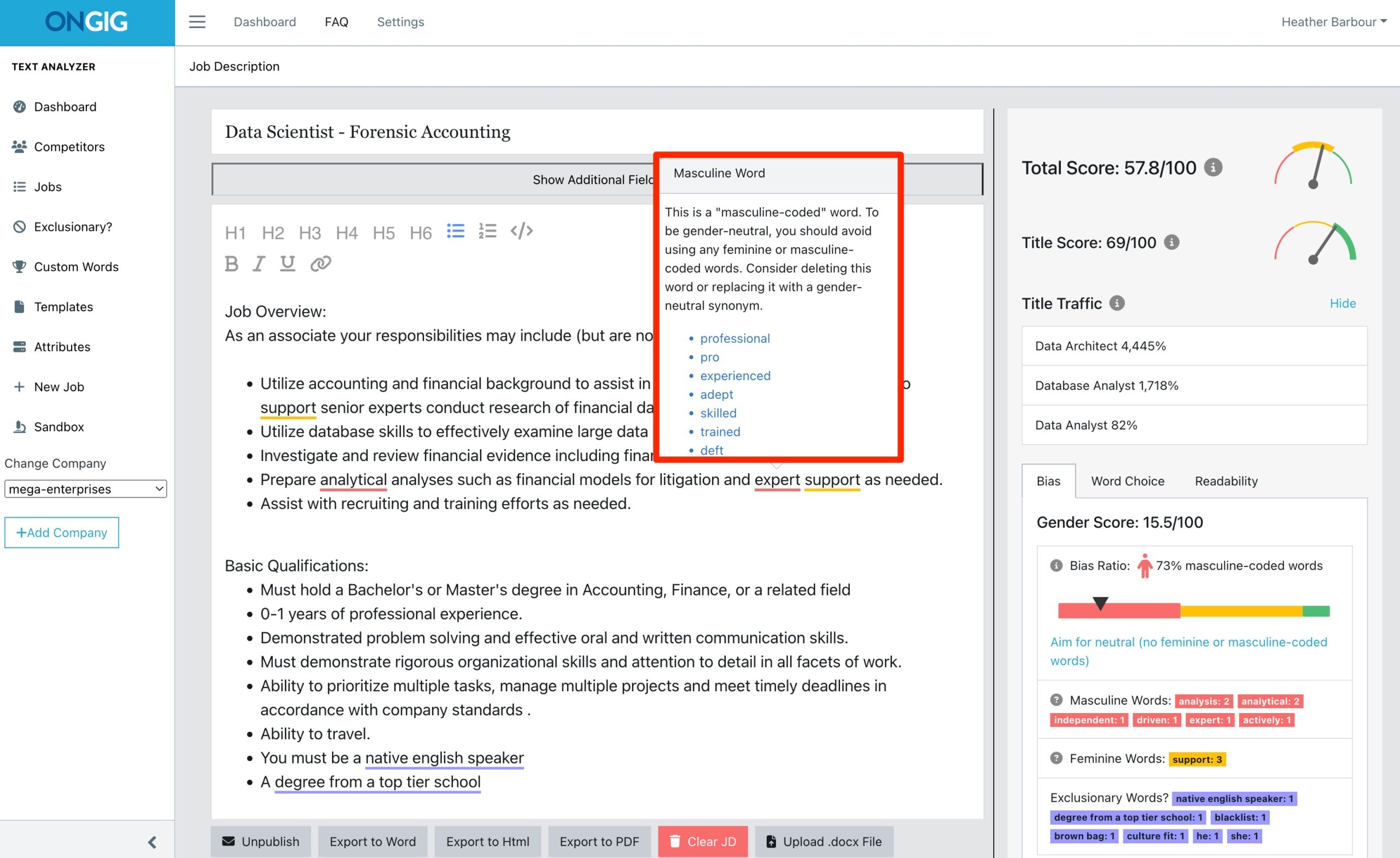
- AI-Powered JD Agent: Type a job title, and the AI drafts a full description using a massive industry database. It provides real-time “Job Scores” (e.g., 79% to 83%) as you edit to track readability and bias.
- Bias Detector (Text Analyzer): Now identifies 13+ types of bias, including gender, race, disability, neurodiversity, and remote-work exclusion. Includes a one-click “Swap” feature to neutralize gender-coded language.
- Pay Transparency Monitoring: Dedicated tools to ensure JDs comply with salary disclosure laws, including current EU Directives (2025/2026).
- SEO Title Scoring: Scores job titles based on their performance in search engines like Google for Jobs to ensure your postings aren’t buried by jargon.
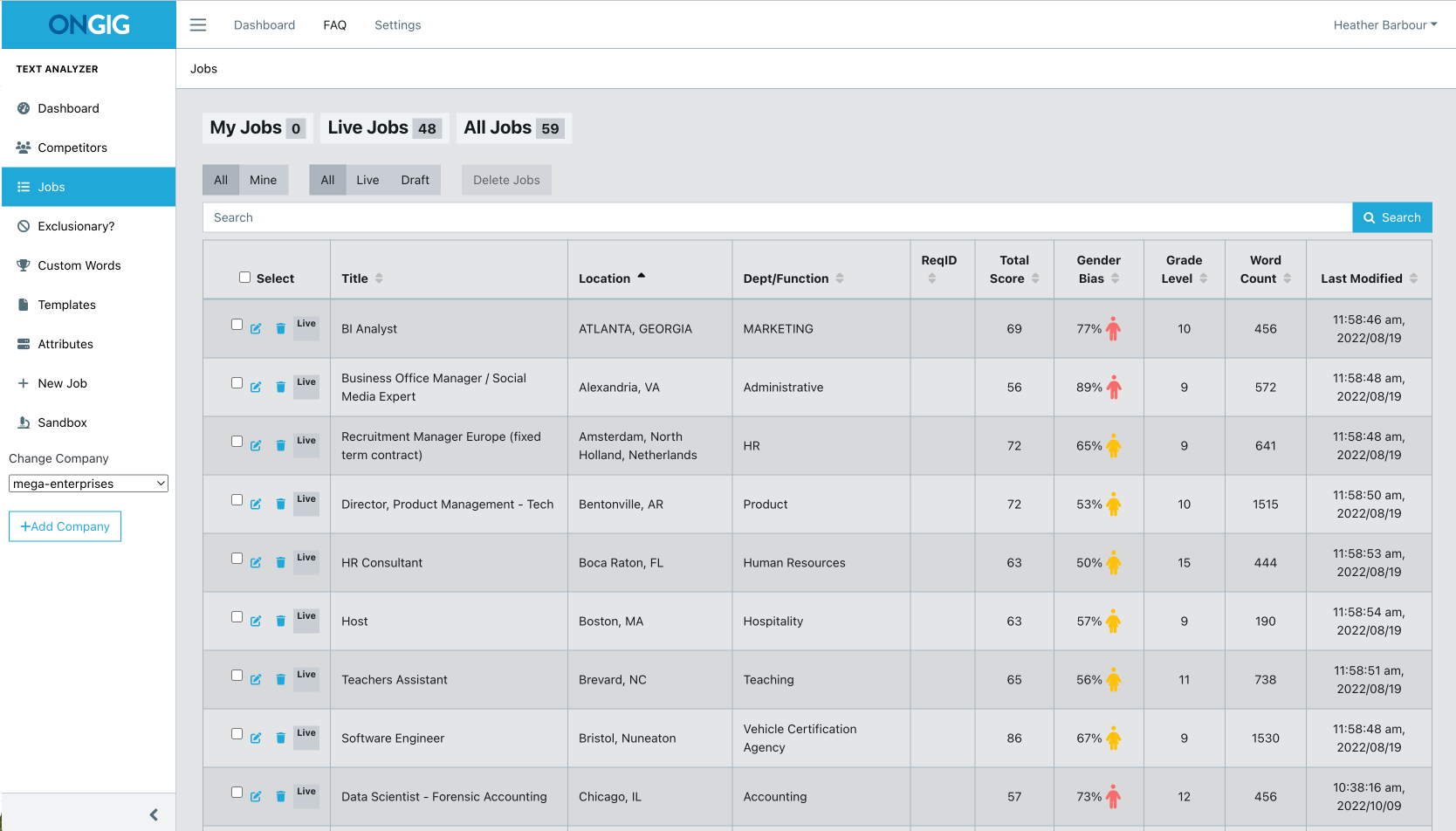
- Job Content Dashboard: An analytics view showing the “health” of your library (e.g., what percentage of jobs are bias-free or missing salary data).
BONUS: Ongig’s Career Site
This tool sits on top of old ATS career pages to provide a modern, mobile-responsive experience. It allows you to embed interactive media, such as Glassdoor reviews, Google Maps, and employee videos, directly into the posting.
Ongig Job Description Software Pricing
Ongig has moved from a flat starting price to a tiered model, making it more accessible:
- Lite Tier ($4,900/year): Entry-level for small teams. Includes the Job Library (up to 100 jobs), SEO scoring, and readability suggestions.
- Professional Tier (starts at $14,900/year): Includes unlimited jobs/users, AI writing tools, templates, and 1-Way ATS import.
- Enterprise Tier ($39,900+/year): The full suite with 2-Way ATS integration, SSO, automated language translation, and custom workflow automation.
Experience Ongig’s job description management platform and revolutionize your hiring process. Request a demo today
2. JDXpert by HRTMS
What Is JDXpert?
Imagine having a special tool that helps bosses create, organize, and also save job descriptions easily. That’s what JDXpert does! It acts like a central hub where all job information is stored. So, instead of having papers scattered everywhere, everything is neat and tidy in one place.
Thus, employers can make new job descriptions, keep track of them, and also find older ones quickly. So, it’s like having a magic box that keeps all your important job stuff safe and easy to find!
Key Job Description Management Features
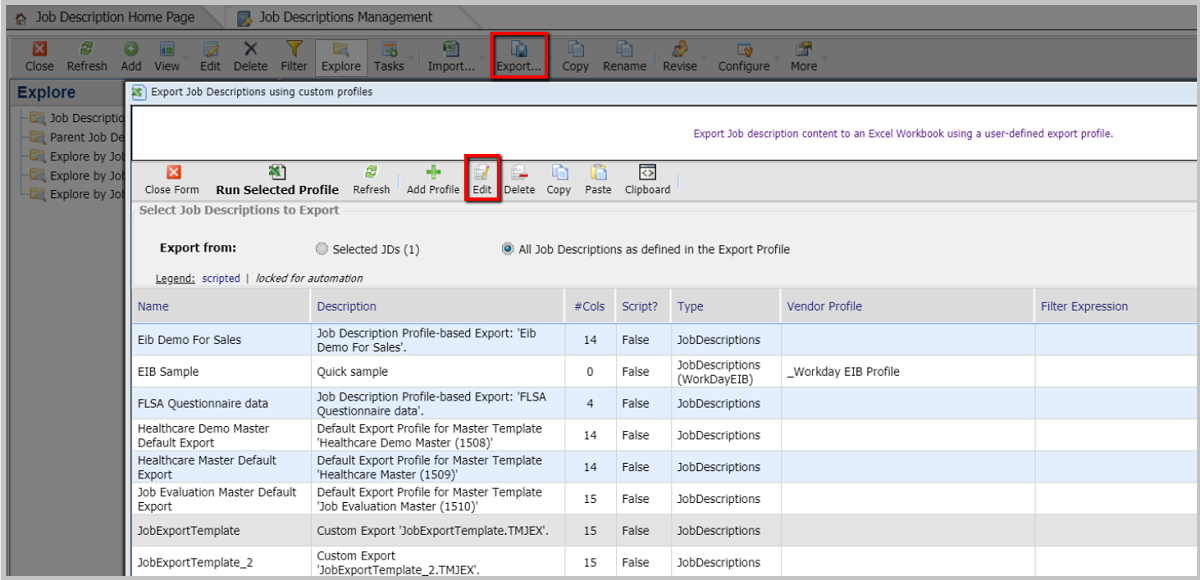
- You can assign specific roles (Editor, Reviewer, Approver) with SSO integration. A standout feature is the “Ad-Hoc Reviewer”—this allows you to invite a manager to review a JD via email without them needing to log in or hold a full system license.
- Stores every version of your JDs, job families, and competencies. You can “roll back” to any point in time and see exactly who changed a specific bullet point two years ago.
- Allows you to create a “Parent” JD (e.g., Project Manager) with core requirements that automatically cascade down to “Child” JDs (e.g., IT Project Manager), ensuring 100% consistency across departments.
- Easily compare any two versions or even two different job titles. The system uses a “Track Changes” style interface to highlight exactly what was added or deleted.
- Use Generative AI to help you draft descriptions from scratch or enhance existing ones. Its “Similarity Scoring” algorithm suggests appropriate titles and levels by comparing your JD against a library of over 6,000 industry standards.
- A built-in feature that flags gender-coded or exclusionary language in real-time, helping you widen your candidate pool and meet modern diversity standards.
Check out JDXpert versus Ongig to compare the two tools.
JDXpert Job Description Software Pricing
For JDXpert pricing details visit their website.
3. JDMS by Hrizons
What Is JDMS?
JDMS is all about making job description management super easy. They can also help you create a library of job descriptions. Plus, they integrate this library as well as its content right into your HCM systems, ensuring everything is in one place and hassle-free.
Key Job Description Management Features
- Match job details with other tech tools like applicant tracking systems for smooth coordination.
- Easily maintain job description library without administrative burden.
- Develop & standardize job descriptions.
- Job description comparison allows employers to see differences.
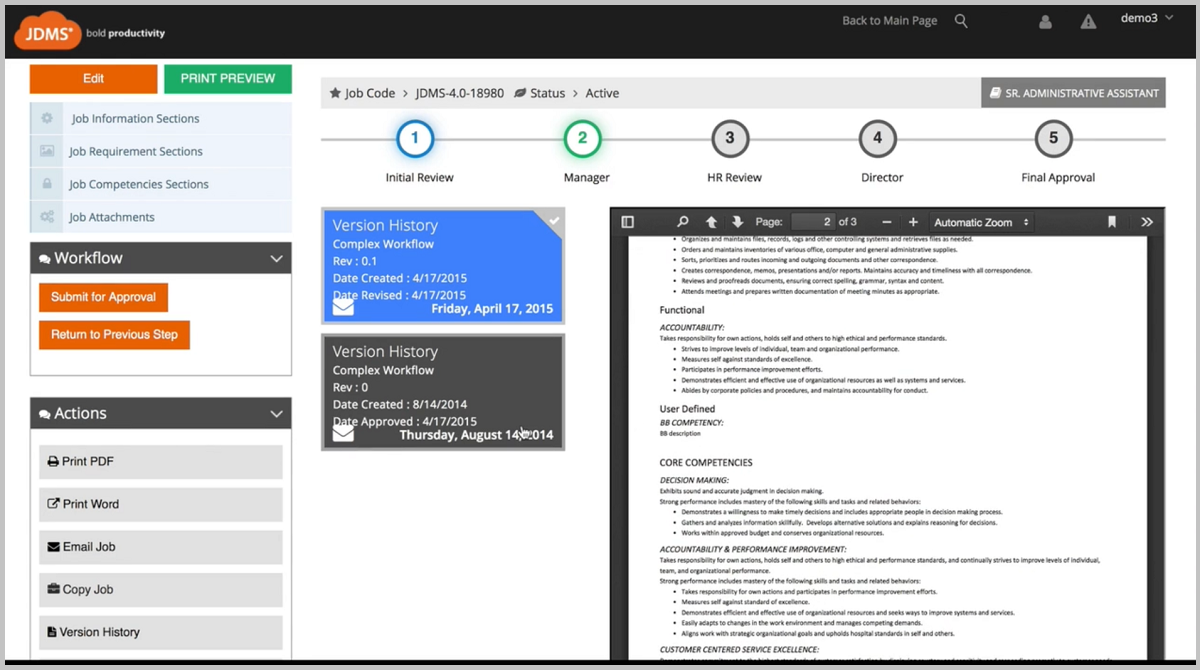
- Utilize job description workflows, version control and role-based permissions
- Admins can now use integrated cognitive services to quickly translate job descriptions into multiple languages for a global workforce.
- Allows employees to view and digitally “sign off” or acknowledge their job descriptions directly within the system to ensure compliance and role clarity.
Hrizons JDMS Pricing
We talked to someone who demo’d Hrizons JDMS and they said the investment was $30,000 per year.
Interested in this tool? Visit their website for more in-depth pricing details.
4. Quinto (formerly CompetencyCore by HRSG)
What Is CompetencyCore?
The platform is now known as Quinto, which focuses on “Integrated Content” to help organizations define employee success. With Quinto, making job descriptions becomes easy and stress-free. Their tool ensures you can create clear and detailed job descriptions without any hassle, making your job more efficient.
Key Job Description Management Features
- Access a library of 1,600+ pre-built, customizable job descriptions and a robust database of skills, responsibilities, and competencies. You never have to start from a blank page.
- Handle feedback and ideas from colleagues and stakeholders effortlessly. The tool streamlines the review process so everyone can share thoughts and improve JDs without the confusion of multiple drafts.
- You can now map job content in seconds using AI-generated suggestions. Unlike other AI tools, every suggestion is reviewed by human experts (I-O psychologists) to ensure accuracy, consistency, and inclusivity.
- You can apply changes universally across the library and set content-review reminders to ensure JDs stay current with labor-market trends.
- All content is validated to ensure language is inclusive and broadly accessible, helping organizations achieve diversity and equity initiatives
Quinto Job Description Software Pricing
For more HRSG pricing details visit their website.
5. Job Description Management by Payscale
What Is Descriptions Now?
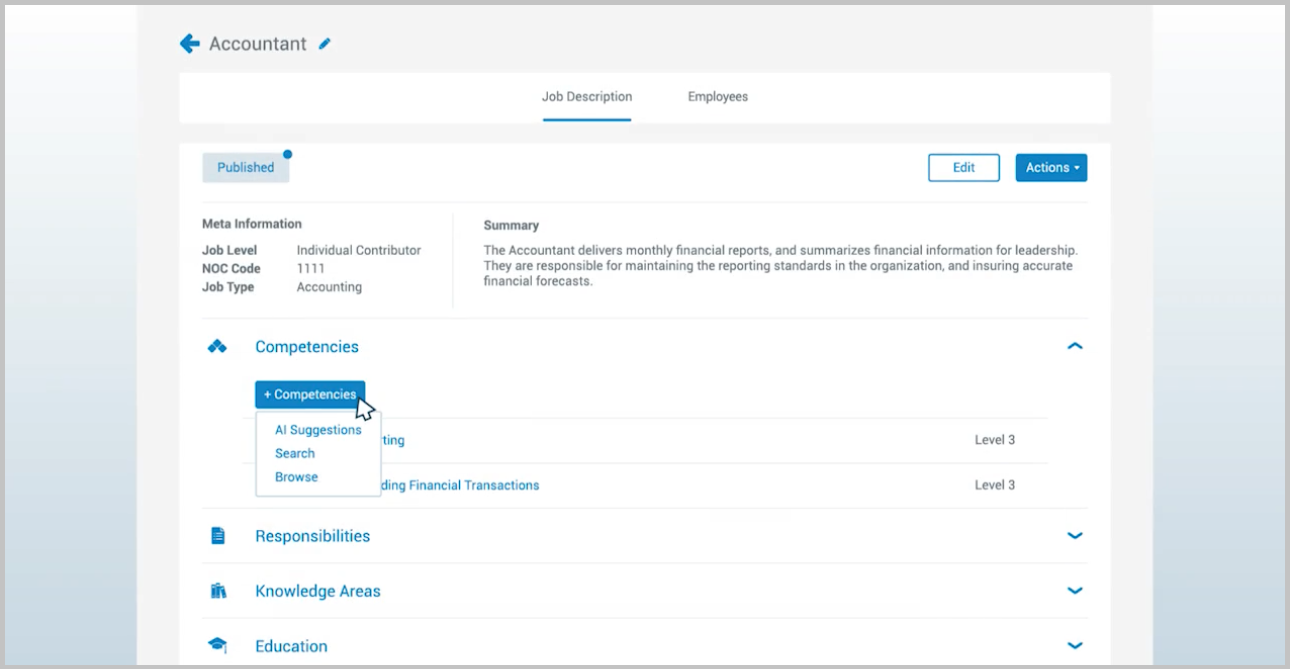
Payscale offers a centralized job description management solution that connects your job descriptions directly to your compensation strategy. It acts as a single hub for creating, approving, and storing JDs, ensuring that “you can’t get pay right without the job description being right.” Whether you use the Payfactors or Marketpay version, the tool streamlines workflows and keeps everything organized in one online location.
Key Job Description Management Features
- Access a pre-populated library to quickly build new descriptions or load in existing ones.
- Seamlessly make changes across groups of associated or similar job descriptions at once.
- Route content to the right people automatically, with a full revision history showing who made edits and when.
- Export approved job descriptions directly to your Human Resource Information System (HRIS) or Applicant Tracking System (ATS).
- Tie pay ranges directly to your roles within the JD to comply with modern pay
- Compare job descriptions side-by-side with compensation data.
Payscale Descriptions Now Pricing
Visit their website for more pricing information
6. Job Description Manager by SHRM
What Is Job Description Manager by SHRM?
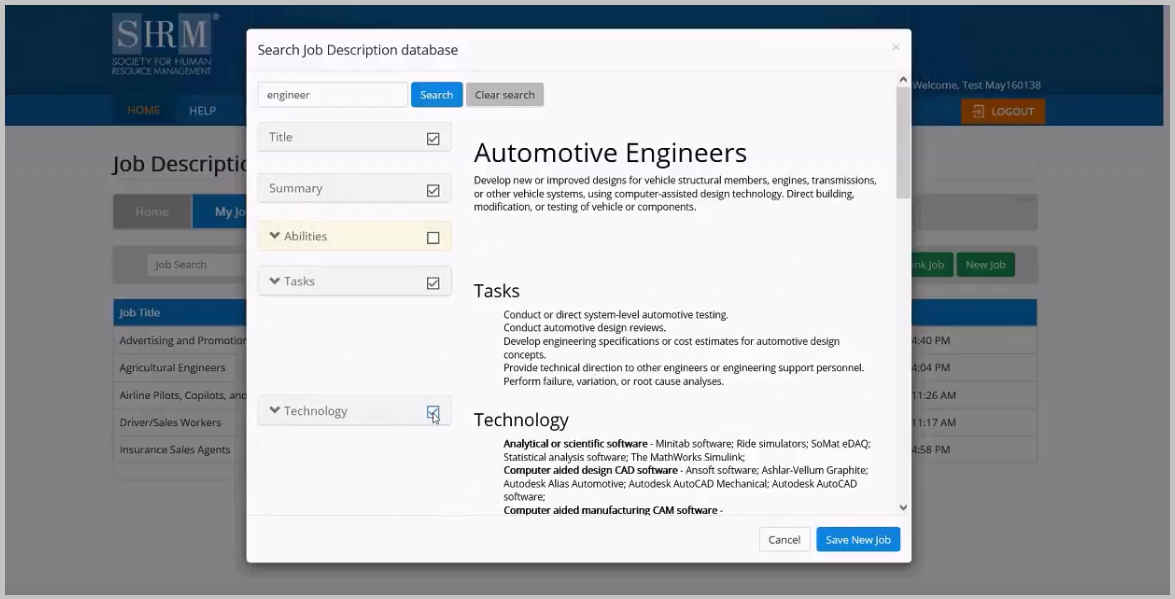
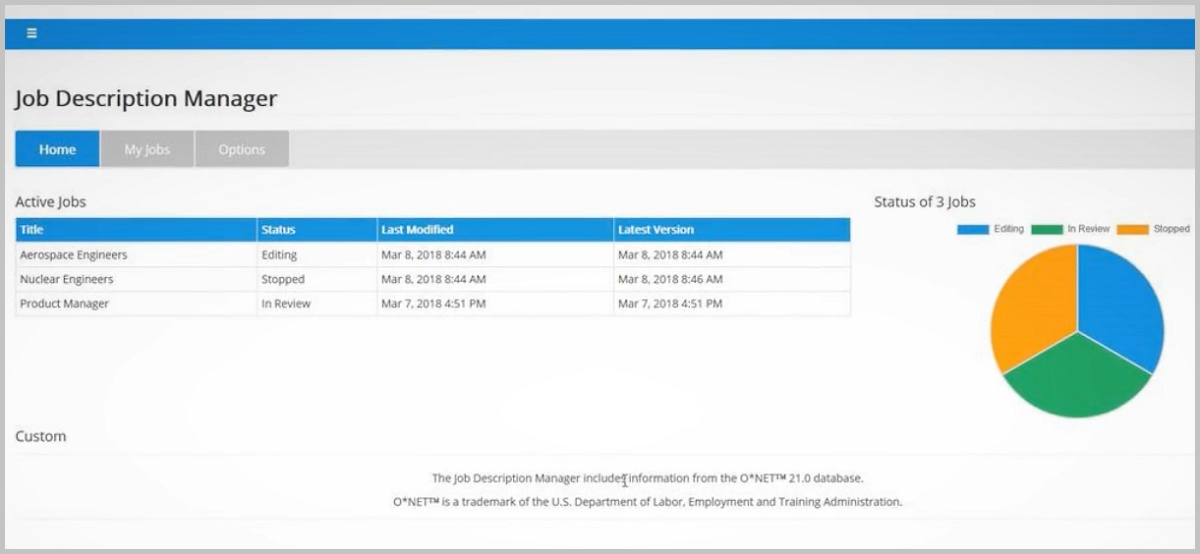
The SHRM Job Description Manager (JDM) is a 100% online “Software as a Service” (SaaS) tool designed to make job description management fast and simple. Because it’s entirely web-based, you can access your library 24/7 without needing to download or install any software.
The tool now provides a library of customizable templates based on O*NET job classification data and BLR’s legal expertise. While previous versions touted 2,400+ descriptions, the current 2026 system focuses on a more streamlined, legally-vetted library that ensures your JDs are aligned with federal HR standards to help you avoid legal trouble.
Key Job Description Management Features
- Quickly and easily create your JD library. This library is also accessible 24/7 from any computer, anywhere.
- Add, edit, delete, or reorganize your job descriptions online without any software downloads.
- Easily share job descriptions and get reviewers and approvers’ feedback online.
- Download and print or even e-mail your job descriptions. The choice is completely yours!
- Features secure login access with personalized user profiles, keeping your organizational data safe while providing a history of update
SHRM Job Description Manager Pricing
The investment is a one-year subscription. SHRM Members: $349.00 per year. Non-Members: $499.00 per year
7. Smarter Job Description Management by Salary.com
What Is Smarter Job Description Management by Salary.com?
JobArchitect® is Salary.com’s award-winning job description management platform. It’s designed to end the “silo” problem—where different departments have different versions of the same job stored in scattered Word docs.
The software acts as a central command center where you can create, edit, and approve job descriptions in one place. Because it is part of the broader Salary.com ecosystem, it ensures that your job descriptions are always aligned with real-world market data, helping you “Get Pay Right” from the moment a role is drafted.
Key Job Description Management Features
- Access over 5,000 pre-written job descriptions and a robust Skills & Competency Library. You can drag and drop specific skills or behavioral indicators directly into your JDs.
- No more chasing managers for feedback. Set up automated routing for reviews and approvals, complete with a full audit trail and status dashboards to see exactly where a JD is stuck.
- The tool doesn’t just store JDs; it maps competencies to specific roles, allowing employees to see clear career progression and what skills they need to move to the next level.
- Once a job description is finalized, it can be instantly market-priced using Salary.com’s CompAnalyst® data, ensuring your pay ranges are competitive and equitable.
Smarter Job Description Management by Salary.com Pricing
Visit their website and request a demo for pricing details.
8. Job Description Manager by HR Hero (BLR)
What Is Job Description Manager by HR Hero (BLR)?
HR Hero’s Job Description Manager makes it easy to choose from nearly 2,000 pre-written job descriptions. These include templates from the Department of Labor’s (DOL) O*NET™ database and descriptions written by BLR’s in-house legal experts.
Key Job Description Management Features
- Create a professional job description in under 5 minutes, customizable to your needs
- Create your own personal job description library.
- Define your team, including multiple reviewers and approvers. A centralized dashboard provides a clear audit trail of all changes and approval stages, giving you legal proof for actions taken.
- Ensure efficient communication, and also a smooth running process through email notifications
- The tool uses inclusive, objective-focused language, free from gendered terms or jargon, to help minimize biased hiring decision
- Export one or multiple JDs in compatible formats for easy upload to job boards, or generate PDFs and printed versions with one click.
HR Hero Job Description Manager Pricing
Visit their website and request a demo for pricing details.
9. Datapeople Smart Editor (now a Payscale company)
What Is Datapeople Smart Editor?
Datapeople is an “optimization layer” for your hiring process. While other tools focus on storing job descriptions, Datapeople’s Smart Editor is all about writing job ads that actually work. It’s an AI-powered editor that gives you a “predictive performance score” based on real-world hiring data.
The tool doesn’t just check for typos; it analyzes your tone, requirements, and even your job title to tell you if your post is likely to attract a diverse and qualified pool of candidates. Because it integrates directly into your existing workflow (like Google Docs or your ATS), it makes high-performance writing feel like a natural part of your day.
Key Job Description Management Features
- Generate a high-quality initial draft in seconds based on your job title and location, using AI that has been “trained for talent” rather than general web data.
- As you write, the editor gives you a real-time score (0–100). It highlights specific areas—like corporate clichés, excessive requirements, or biased language—and suggests exactly how to fix them to reach an “85+” score.
- The tool automatically detects your job’s location and alerts you to specific legal requirements, such as the New York or Washington D.C. pay transparency laws, ensuring you never miss a mandatory salary range.
- Beyond just flagging “masculine” or “feminine” words, it identifies “exclusive” language (like “seasoned” or “rockstar”) that might inadvertently discourage qualified applicants.
- Use the browser extension to bring Datapeople’s intelligence directly into your ATS (Workday, Greenhouse, Lever, etc.), so you don’t have to copy and paste back and forth.
- Organize all your job content in a single searchable repository, complete with pre-approved templates and “Flagship Jobs” that your team can reuse safely
Datapeople Smart Editor Pricing
Visit their website for pricing details.
10. RoleCreator by Role Mapper
What Is RoleCreator?
RoleCreate is more than just a job description builder; it is a “role design” platform. RoleMapper recognizes that a job description isn’t just a document, it’s the foundation of your entire talent strategy. RoleCreate helps organizations move away from outdated, static JDs and into a dynamic system that prioritizes inclusion and flexibility.
The tool uses a guided workflow to help managers and HR teams build roles that are structurally sound. It focuses on removing barriers that might prevent diverse candidates from applying, while also ensuring that every job is aligned with the company’s broader “Job Architecture.”
Key Job Description Management Features
- Goes beyond simple bias-checking. It evaluates the “structural inclusion” of a role, helping you identify if the requirements are truly necessary or if they are inadvertently screening out diverse talent.
- Uses a skills-led approach by mapping specific skills and competencies to each role, making it easier to identify internal talent and bridge skills gaps.
- A unique feature that allows managers to “design in” flexibility (like remote work, job-sharing, or flexible hours) at the creation stage, rather than treating it as an afterthought.
- Create a “Single Source of Truth” for all roles across your global organization. The library ensures consistency in titles, levels, and grading across different regions and departments.
- Manage the entire lifecycle of a role from initial draft to final approval with automated routing and a clear audit trail of every change made.
- Connect your roles to industry standards and internal pay scales to ensure that your role design is competitive and compliant with the latest pay transparency laws.
RoleCreate Pricing
Visit their website for pricing details.
Note: This article excludes job description software such as Textio, Talvista, and TapRecruit that specializes in augmented writing and not solely in job description software.
Why I wrote this?
Using job description management software to handle job descriptions is crucial in finding the right people for a job. Many employers are searching for the perfect solution to make this process easier.
In other words, job description management software is like a helpful assistant for companies. So, it’s especially important when businesses are hiring new employees. Tools like these make the process of creating, organizing, and also managing job descriptions much easier.
So, let’s imagine you have a big puzzle and the software helps you put all the right pieces together. Thus, you don’t have to spend a lot of time and effort doing it all on your own. As a result, employers love it because it saves time and also ensures they find the best people for the job.
So, think of it like having a smart friend who knows exactly what kind of person you need for your team.
We hope this list helps you find the right job description software for your organization!
