Does this sound familiar? It takes your team longer to approve a JD than to fill the job. You’re also unable to understand why your JD approval gets stuck. And your team isn’t always sure who’s supposed to approve what.
To sum this up, these issues indicate that your job description approval process is a mess. And you need to optimize it.
So, this article will help you understand these JD approval issues and provide tips to navigate the challenges.
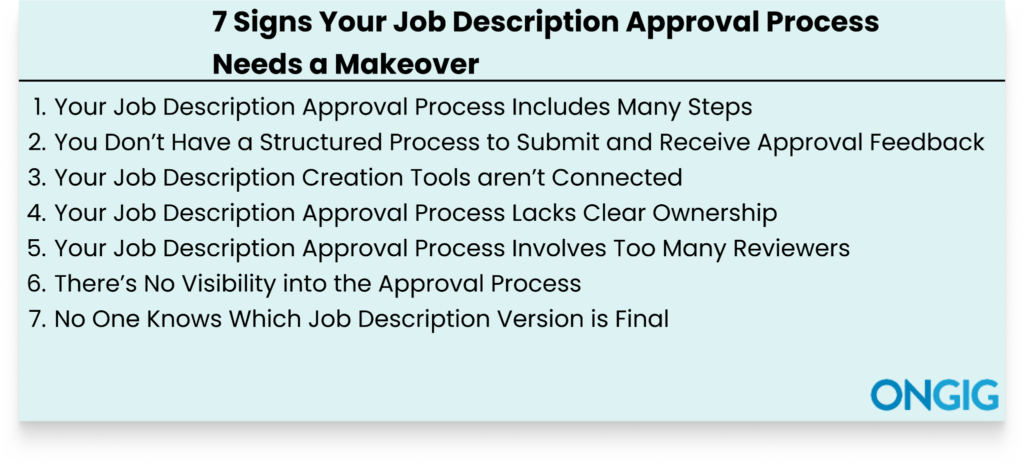
1. Your Job Description Approval Process Includes Many Steps
Many job description teams overengineer their JD approval process by including many steps.
All the steps might seem justified at first, but when stacked together, you realize how they stretch a one-day task into weeks of work because each step is a potential failure point.
For instance, if there’s a step waiting for a single team member to approve the JD before it moves to the next step, and maybe that individual is on vacation or sick leave, the process stalls.
And if there’s another step that usually goes through back-and-forth clarification, the process stalls for days.
Now imagine that you have 8 of these steps: the JD approval delay rises significantly and becomes the norm in your organization.
To fix this problem, audit the stages of your JD approval workflow. Study all the steps to identify the required ones that your JDs can’t go live without passing through them.
Once you’ve identified the must-have steps, optimize them to work efficiently to reduce chances of delays.
Lastly, build a lean approval process that includes 4 steps if possible, instead of 9 steps process that might delay your progress every time.
2. You Don’t Have a Structured Process to Submit and Receive Approval Feedback
If you always have to send a “just checking in” email to get feedback on JD approval progress, then you need to work on your communication channels.
When there’s no clear process for submitting edits, sign-offs, and suggestions, feedback gets lost in channels.
Imagine this: the HR team leaves feedback on Google Docs, another team leaves suggestions on Slack, and another team calls to submit their suggestions verbally.
Now you have to reconcile feedback from three different channels.
Chances are you’ll miss out on some suggestions. And you’ll create a back-and-forth process working on conflicting edits.
The solution for this feedback chaos is simple: enforce a single feedback platform.
So this means there are no scattered tools for feedback. You pick one platform and stick to it. And if a team forgets and submits feedback on a different platform, you remind them where to submit their feedback.
3. Your Job Description Creation Tools aren’t Connected
Does this job description creation process seem familiar to you? You draft your JD in Google Docs, send an email for editing, post a message in Slack for approval, and once you’re done, copy the JD to your ATS?
With this chaotic tool process, job description approval mess is inevitable.
And the mess shows in small but costly ways. For instance, one reviewer makes an edit in Google Docs but forgets to update the same document that was already sent to Google Drive, and the next person ends up approving an outdated version. And with approval feedback circulating across different tools, no one on your team truly knows who has finished their reviews. Plus, there’s no clarity on the current document for approval.
The solution for this chaos? Centralize your job description collaboration process with a single tool such as Ongig job description management software.
With a centralized system such as Ongig, everyone knows where to check when they need any JD approval information.
Whether it’s approval status, feedback, or submitting feedback, they don’t start to check different disorganized tools. They go to one platform.
4. Your Job Description Approval Process Lacks Clear Ownership
If you ask your team who “owns” the JD approval process, will you get a clear answer? Or will you get different answers, such as the recruiting team assuming the legal team owns the process, or the talent acquisition team assuming the HR managers oversee the complete process?
Now, when no one on your team knows who’s responsible for the job description approval process, there’s no accountability.
And the process becomes disorganized because there’s no one to connect everything.
This lack of standardized ownership shows well when something goes wrong with approvals. For instance, a JD for quick approval gets stuck for weeks. And there’s no one to answer who was responsible for follow-up. And if you ask, you get contradicting answers.
The fix to this challenge? Create a role-based-approval workflow with clear stages.
Building a workflow that defines each person’s responsibility removes back-and-forth questions of who’s responsible for what because everyone knows their tasks.
Lastly, in your approval workflow, have someone responsible for the whole process. So if something isn’t going right with approvals, you know who to ask.
5. Your Job Description Approval Process Involves Too Many Reviewers
If getting approval for each job description requires more than 6 people, you’re creating a trap that delays your job description process.
The issue isn’t that the perspectives of all the stakeholders aren’t important.
It’s that ensuring you get all their input each time and for every role drags the process. For instance, you have to check who has reviewed, who’s reviewing, who hasn’t reviewed yet, and whose edits conflict with everyone.
Plus, you need to understand who has the final say when reviewers disagree. So, in the end, a process that could have taken two days stretches into weeks.
So, what’s the solution? Define optional and required reviewers.
Check how you create your JDs and identify who must review and approve the JD before it goes live. This can even be a maximum of 4 reviewers. Then ensure the JD never moves to the next stage if the required people haven’t approved.
6. There’s No Visibility into the Approval Process
If you always have no idea why your JD approval process got stuck, then you’re operating your process blindly.
With this lack of visibility, you can’t know whether the responsible person is working on the approval, if they’ve opened the email, or if they got stuck.
Plus, you also can’t know the possible timeframe for them to finish their approval process.
In the end, it becomes difficult to optimize and fix issues in your approval process because you can’t optimize what you don’t understand.
For instance, you might think that a certain step gets delayed because the person doesn’t check their email, but in the end, you find they’re overloaded with approval work.
To get out of this visibility blindness, do this:
- Have a Status Dashboard: Instead of scattered email threads, use dashboards to help everyone see JDs in review, who has signed off, who’s stuck, and how long each step takes.
- Set Automated Hand-offs: Instead of manually letting the next person who’s supposed to approve know their turn to approve has reached, create an automated process that alerts them when it’s their turn. This reduces any blame games of someone saying they didn’t see the email.
Implementing these two steps saves you weeks that you would have used following up with approvals.
7. No One Knows Which Job Description Version is Final
With multiple reviewers editing the same document, multiple versions will exist.
And with these versions, nobody on the team knows for sure the right document to proceed with. For instance, there’s the original version the HR team drafted, a version with compensation adjustment, and another version with compliance edits.
To make it worse, all these versions are scattered in different channels, all of them looking like the final copy when someone checks them.
This confusion ends up creating more challenging issues and dragging the job description process.
For example, a hiring manager might go ahead and post the JD only for someone to point out that the responsibilities don’t reflect what was approved.
The solution? Create a central source of truth through job description management software that provides both track changes and version history.
This way you can see all information about the document you’re working on. And it’s easy to understand the correct version to proceed with.
Why An Efficient Job Description Approval Process Matters in 2026
Hiring has gotten more competitive in 2026. Here’s why a good JD approval matters more than ever:
✅Speed Wins Qualified Candidates
The fact is that the top talent is never on the market for long.
They are always getting interviewed and having to select between different offers. So if your approval process takes weeks with multiple reviewers and back-and-forth editing, you’ll post your JDs late.
✅Compliance is More Important Than Ever
Equal chances in hiring requirements, accessibility, and pay transparency laws continue to vary by countries, states, and industries in 2026. For instance, in the U.S., you might get your organization in trouble for publishing JDs without a salary range.
With a poor JD approval process, legal risks can creep in. But with a proper JD approval process where every JD goes through standardized steps and compliance checks, these legal risks never creep in.
✅Preserves Your Employer Brand
A disorganized job description signals a bad perception about how your organization works. And this prevents top candidates from applying to your job posts because the JD contains confusing requirements, no salary range, and poor formatting.
A good approval process ensures your JDs aren’t published before passing through a standardized template.
✅Maintains Alignment Across Stakeholders
A JD is the focus of different teams in an organization, not just the HR team.
And with misaligned expectations, you hire the wrong candidates. And this means you’ll start the hiring process all over again, and end up using more resources.
But with a good JD approval, any critical stakeholder checks the JD before it goes live. So when you’re publishing the JD, you’re sure no team will come and say a certain requirement wasn’t adhered to.
What A Better Job Description Approval Process Looks Like Using Ongig Job Description Software
Most job description approval challenges, such as the 6 issues we discussed above, have a main root cause: a manual process.
Ongig comes in to fix all JD approval challenges by providing a central system to organize everything together. Here’s how:
- Centralized JD library: Ongig provides a searchable cloud library where all your JD work happens. So when you need any information concerning your JDs, including approvals, you know where to check. You don’t scroll through 10 folders to understand the current document for approval.
- Establish Roles and Permissions: The tool helps you define clear ownership. So everyone knows their responsibilities and the deadlines of their work. This also ensures no one edits what they aren’t supposed to.
- Automated Smart Workflows: No more chasing your teams for approvals. The tool lets you create an automated email notification. So if a team member’s turn for approval reaches, they get an email trigger containing a link to the JD and deadline. Plus, you can also create more automated workflows with Ongig. For instance, you can easily build a workflow that ensures when one team finishes their approval, the JD automatically gets sent to the next team.
- Real-Time Approval Visibility: Ongig provides a live dashboard that helps you understand JDs in review, who has signed off, what’s delaying the process, and how long each step takes.
- Version comparison: No more guesswork with your approvals. You see what changed, who made changes, and when.
- Comprehensive Audit trail: Lastly, everything’s logged. And you’re all ready for comp or legal reviews.
By switching to Ongig, you cut your approvals from weeks to days.
Tips To Replace Tool Chaos with an Organized Job Description Approval Workflow System
Most JD teams struggle to move from their many disconnected JD creation tools because they aren’t sure whether the transition process will be smooth.
This is because they are already comfortable with their current processes. And they think they are “smooth”.
But at Ongig, we simplify the onboarding process for you. And this way, you create a smooth JD workflow onboarding process quickly: Here’s how:
- Weeks 1–2: Import all your existing JDs into the tool.
- 3rd Week: Easily define your JD workflows. And assign role-based permissions to have clear approval ownership.
- 4th Week: Train users of the system. And test with live JDs to ensure everything goes smoothly.
- Weeks 5+: You’re ready to go live with comprehensive visibility, real-time tracking, and alerts.
And it doesn’t matter whether you’re a small team or if you’re managing thousands of JDs; Ongig scales to fit. Now that you’ve set your JD workflow, you’re sure your approvals won’t have any confusion.
Tip: Use this Checklist to get Started with Your Approvals
Having a checklist that outlines all your approval steps and clear ownership removes confusion. And provides you with clarity. Here’s a sample to get started:
Step 1: Recruiter drafts the JD
- Owner: [Recruiter’s name]
- Timeline: 2 business days
- How Ongig Helps: Templates and AI writing assistance ensure consistent quality from the start.
Step 2: Hiring manager reviews
- Owner: [Hiring manager name]
- Timeline: 2 business days
- How Ongig Helps: In-platform collaboration prevents version confusion and streamlines feedback.
Step 3: Legal/compliance review (if there’s need)
- Owner: [Legal contact]
- Timeline: 1–2 business days
- With Ongig: Automated JD bias, compliance, and readability checks flag issues early
Step 4: JD goes live
- Owner: [Recruiter]
- Timeline: 1 day
- With Ongig: Auto-sync to your ATS and job boards for improved tracking
We already created the JD Approval Checklist template for the steps above. Download to get started.
FAQs: 7 Signs Your Job Description Approval Process Needs a Makeover
1. WHY IS A GOOD JOB DESCRIPTION PROCESS IMPORTANT?
An efficient JD approval process ensures your JD’s accuracy, compliance, and alignment with your organization’s standards before going live.
2. WHAT WAYS CAN I IMPLEMENT TO IMPROVE MY JD APPROVAL PROCESS?
Simply put, centralize your JD creation process. Let all JD work occur in one single platform.
3. HOW MANY STEPS SHOULD A JOB DESCRIPTION PROCESS HAVE?
If possible, have 4 steps that cover everything in your approvals. Having many steps and multiple reviewers drags your approval process.
4. HOW DOES ONGIG HELP WITH JD APPROVALS?
Everything concerning your JD approvals is in one place. You get dashboards for visibility, change tracking, audit logs, and approval workflows.
WHY I WROTE THIS:
To the job description creation teams, we know you’re dealing with a lot, and you just want to write and publish your JD.
But having a messy approval process will always stall your progress. So take your time to build an efficient JD approval process to speed up your progress.
At Ongig, we help you build an organized JD approval process that reduces your JD approval timeline from weeks to days. So schedule a demo today to learn how we can help you with your JD approvals.
