Think about the last important document you worked on. Chances are it lived in Google Docs, Microsoft Word, or another tool where everyone could suggest edits, leave comments, and track every change.
So why are job descriptions—one of the most collaborative documents in HR—still being passed around as Word files, email attachments, and competing versions?
We’ve spent years talking to recruiters, HR leaders, compensation teams, hiring managers, legal, and DEI professionals. One request keeps coming up:
“Can we review job descriptions like we do in Google Docs?”
It’s a simple question. But it highlights one of the biggest gaps in today’s job description software.
Version history is helpful. But we’ve found that true collaboration requires much more.
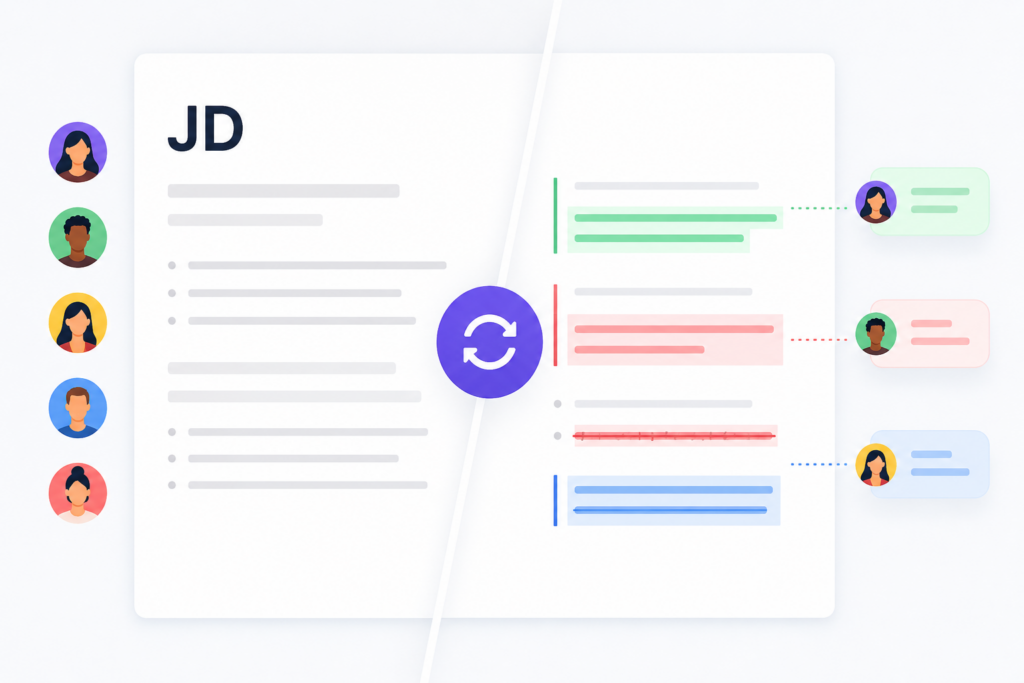
Job Descriptions Have More Authors Than You Think
People often assume recruiters own job descriptions.
In reality, they belong to everyone.
A single enterprise job description might be reviewed by:
- Recruiters
- Hiring managers
- HR Business Partners
- Compensation teams
- Legal
- Inclusion specialists
- Talent Acquisition leaders
- Business executives
Every one of those people brings a different perspective.
- Legal checks compliance.
- Compensation updates salary language.
- Hiring managers refine responsibilities.
- Diversity teams improve inclusive language.
- Recruiters make the job attractive to candidates.
- HR ensures consistency across the organization.
The challenge is managing everyone’s edits without creating chaos.
The Collaboration Problem Nobody Talks About
Most companies still review job descriptions the same way they did ten years ago.
Someone downloads a Word document.
The hiring manager emails back an updated copy.
Legal sends another version.
Compensation makes edits in a completely different file.
Someone else leaves comments in email.
Then one person—usually the recruiter or HR partner—has to merge everything together.
Sound familiar?
It usually leads to questions like:
- Which version is the latest?
- Did Legal approve that change?
- Who removed the salary information?
- Why is this responsibility different from yesterday?
- Did we accidentally delete that DEI statement?
The bigger the organization, the bigger this problem becomes.
Version History Isn’t the Same as Track Changes
Many job description platforms offer version history. That’s useful. But version history only answers one question:
What did this document look like yesterday?
Track Changes answers much bigger questions.
- Who suggested this edit?
- Why was this paragraph changed?
- Should we accept this sentence but reject another?
- Which comments are still unresolved?
- What changed before this job was approved?
Those are two completely different capabilities.
Version history is about restoring the past. Track Changes is about collaborating in the present.
Imagine Reviewing Job Descriptions Like You Review Every Other Important Document
Think about how you work in Google Docs or Microsoft Word today.
You don’t overwrite someone else’s work.
- You suggest changes.
- You leave comments.
- You discuss wording.
- You accept some edits and reject others.
Now imagine bringing that same experience to job descriptions.
- Every edit is tied to a specific reviewer.
- Changes appear as suggestions instead of replacing existing content.
- Comments stay attached to the exact sentence being discussed.
- HR can accept or reject individual edits with one click.
- Every decision becomes part of a permanent audit trail.
- Everyone works from one document instead of five different versions.
The Future of Job Description Workflows Is Better Collaboration
Most organizations already have approval workflows. They know who reviews first. Who signs off next. Who gives final approval.
Those workflows matter. But once someone opens the document, most software stops helping.
That’s where the real work begins.
Modern workflows should make it easier for everyone to work together inside the same document.
Because approval isn’t the hardest part anymore. Collaboration is.
Why We Think Collaborative Editing Is the Next Evolution of Job Description Software
Over the years, we’ve heard this request from enterprise customers again and again.
They don’t just want version history. They want the same editing experience they already use every day.
They want to:
- Suggest changes without overwriting someone else’s work.
- Accept or reject edits one at a time.
- Discuss changes through inline comments.
- Know exactly who changed what.
- Maintain a complete audit trail without creating duplicate documents.
After hearing this feedback from so many customers, it’s become clear that collaborative editing isn’t just another nice-to-have feature.
It’s the logical next step for job description management.
Just as Google Docs changed how teams collaborate on documents, we believe job descriptions deserve the same modern experience.
And we’re excited about what’s coming next.
Why I Wrote This
Job descriptions are among the most collaborative documents in any organization, yet they’re often managed with outdated review processes and disconnected tools. At Ongig, we’re always looking for ways to help hiring teams work smarter, not harder. If you’re ready to modernize your job description workflows and see how Ongig helps enterprise teams create, review, and manage job descriptions more efficiently, request a demo today.
FAQs
What’s the difference between version history and track changes?
Version history lets you restore an earlier version of a document. Track Changes lets reviewers suggest edits, leave comments, and accept or reject individual changes without replacing the original content.
Who benefits from track changes in job descriptions?
Anyone involved in creating or reviewing job descriptions—including recruiters, hiring managers, HR Business Partners, legal, compensation, DEI teams, and talent leaders.
Why isn’t version history enough?
Version history shows what changed between versions. It doesn’t make collaboration easier or allow teams to review, discuss, and approve individual edits in one shared document.
Can track changes improve hiring workflows?
Yes. By keeping everyone in one document, organizations can reduce manual editing, eliminate duplicate versions, improve accountability, and speed up job description approvals.
