Improving the speed of your job description process doesn’t only mean looking for strategies to write the JD faster.
To boost the speed of your JD process, create strategies to optimize your entire job description management journey. For instance, you need to work on your approval process, collaboration process, version control, and your JD storage.
So, read on to learn more tips to boost your JD process.
3 Tips to Consider Before you Write your Job Description
Before you start creating your JD, do this first:
- Perform a Role Analysis: Research to understand the purpose of the role. And how it aligns with your organization’s goals. Next, identify the critical responsibilities of the open position. Plus, understand the success metrics of the role. For instance, if it’s a product designer role, your success metric to determine the capability of the new employee could be,“ minimize customers’ UI challenges by 5% in the next 2 months”.
- Chat with Current Employees and Critical Stakeholders: Next, talk to key people who understand the day-to-day activities of the role. This gives you clarity on any important information to add to the JD.
- Do Market Research: Check the JDs of other organizations hiring for that role, especially in your industry. You’ll have an understanding of the key experience and skills to include. Plus, you’ll know the perfect salary range to write.
With those three starting points, you can begin building your first JD draft.
Now, let’s get into the tips to boost your JD speed:
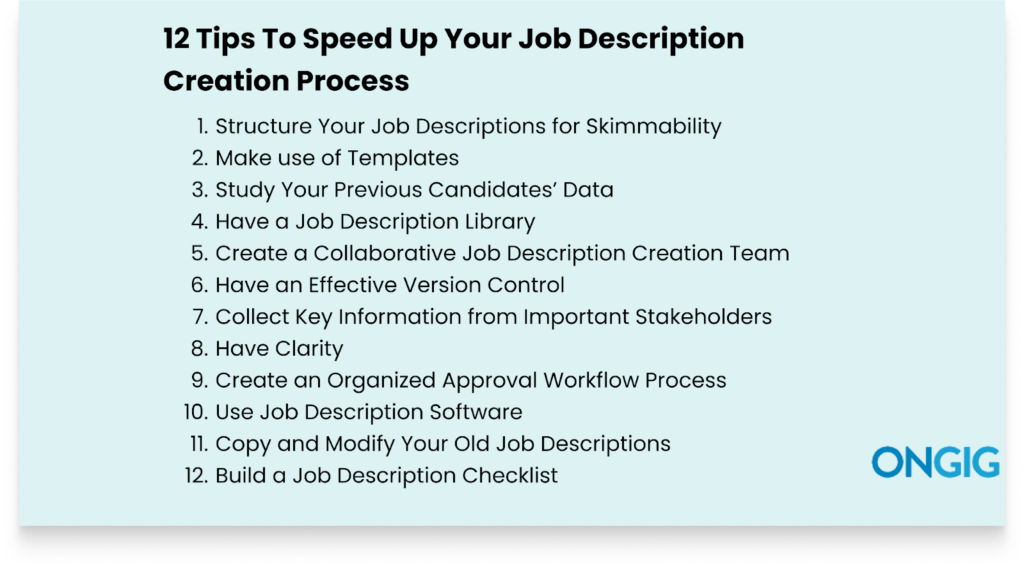
1. Structure Your Job Descriptions for Skimmability
If your job descriptions lack an organized structure, you and your team members will find it hard to understand the content in a few minutes. And if you also end up finding it hard to read your JD, potential candidates will also find it hard to read.
And this lack of structure brings even more chaos during the revision process.
For instance, if you don’t use proper headings, no one will understand the importance that a particular section carries.
In the end, you all waste time as everyone is trying to understand the job description instead of finishing their specific tasks.
So to improve the structure of your JDs, do this:
- Use Headings and Subheadings: Breaking the JD into descriptive headings makes it easy for everyone creating the JD to understand all the content without struggle.
- Use Bullet Points: Instead of many dense paragraphs, use bullet points to communicate your information. This is especially critical when you’re writing the job description responsibilities.
- Use Visual Elements: Use content such as team videos to make it easy for everyone to read the JD without getting bored.
- Maintain White Space: Use spacing in your JD, don’t condense all the content together. This spacing makes it easy for the reader to follow through the JD.
This structure not only helps you and your team speed up creating the JD, but it also makes it easy for potential candidates to scan and go to the sections in the job description they’re interested in.
Read also: 7 Best Practices for Using Bullets in Job Descriptions
2. Make use of Templates
Templates save you time since you don’t have to write everything from scratch.
With a template, you get effective pre-structured information that eliminates confusion.
So, to identify if the template you want to use is effective, check if it includes these components:
- Job title: A searchable and easy-to-read title for the role
- Summary: Has 2 to 3 lines explaining what the role is. And why it matters.
- Key Responsibilities: A bulleted list of all the critical duties. Start each duty with a verb and arrange by order of importance.
- Experience/Must-Have Skills: List the critical skills they must have to pass
- Nice-to-Haves: Optional but helpful skills to have
- Location and Work Type: List if the role is onsite, hybrid, or remote.
- Salary: List the salary range
- Benefits: Must include all the helpful benefits you offer.
Using a template with the above details, you cut 70% of your work. And the 30% work left is for you to customize the JD to include any unique details.
3. Study Your Previous Candidates’ Data
Analyzing your past candidates’ data, either from your ATS or hiring information, is a great way to eliminate guesswork in your hiring journey.
You’ll start creating JDs backed by data. For instance, you’ll get to understand:
- The kind of job titles qualified candidates click on
- If qualified candidates like seeing a few or a lot of requirements in a job description
- The kind of language that has helped you attract and hire candidates from diverse backgrounds
- The job description length that candidates prefer
- The kind of benefits qualified candidates want to see in JDs.
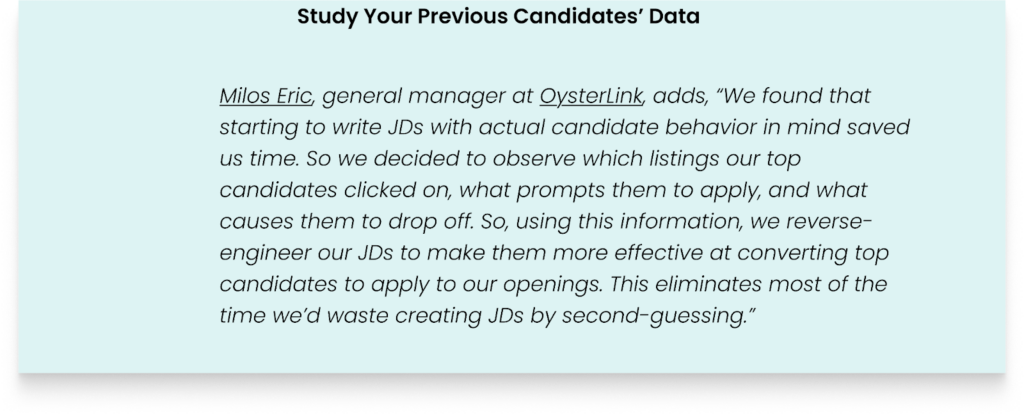
Milos Eric, general manager at OysterLink, adds, “We found that starting to write JDs with actual candidate behavior in mind saved us time. So we decided to observe which listings our top candidates clicked on, what prompts them to apply, and what causes them to drop off. So, using this information, we reverse-engineer our JDs to make them more effective at converting top candidates to apply to our openings. This eliminates most of the time we’d waste creating JDs by second-guessing.”
Read also: How to Use Analytics to Improve Your Job Description Performance
4. Have a Job Description Library
A centralized cloud library for all your JDs is your critical time saver.
With the JD library, you don’t start writing your job descriptions from scratch each time. Or go through endless Word, Shared Drive, and Google Docs documents trying to find the one you want to work on.
The library houses all your JDs, and you can use any appropriate approved JD as an inspiration or template to start writing your JD. All you have to do is search and filter for the JD you want using different keyword types, such as department, title, and skill.
5. Create a Collaborative Job Description Creation Team
There’s nothing that slows a JD creation journey more than a poor collaboration process. All those many questions of “who was working on this section”?, “Why is this document not moved to the next stage yet?” Etc, signal a disorganized JD collaboration process.
Disorganized collaboration slows down your JD creation in some of these ways:
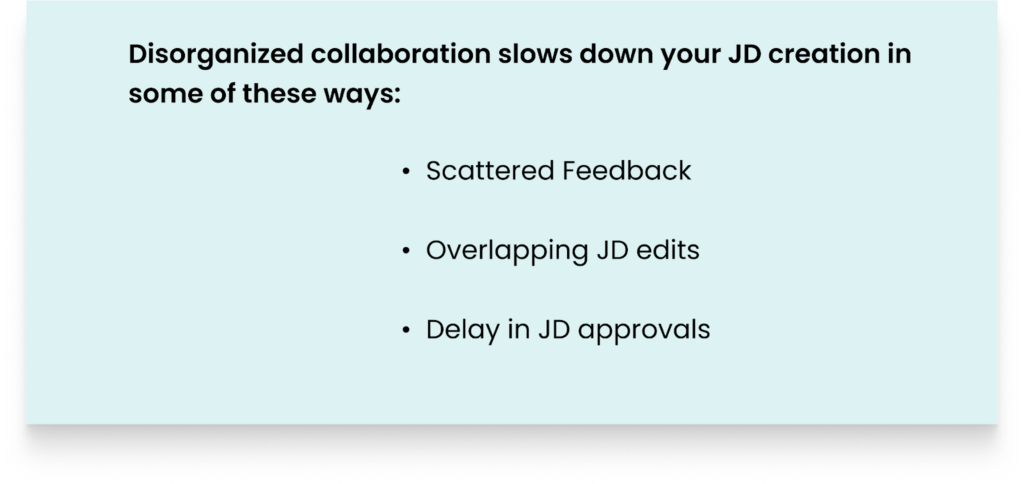
- Scattered Feedback: Feedback chaos arises, and since no team member gets feedback on time, any progress made slows down.
- Overlapping JD edits: Since no one knows what each person is working on, confusing edits arise, hence slowing down the time to move the JD to the next stage.
- Delay in JD approvals: A disorganized collaboration process builds confusion on who needs to approve what. This makes it hard to confirm when the JD can move to the next stage.
6. Have an Effective Version Control
Poor version control wastes your time because it forces you to redo work to correct errors in the JD each time.
The JD writing team spends hours reconciling confusing edits. And painfully looking for the correct JD version.
Plus, with version control chaos, you can’t understand each person’s tasks. So you can’t even track their progress to estimate the time you’ll publish the job description.
To avoid finding yourself in version control chaos that wastes time, invest in JD software that shows you:
- JD Version Comparisons: This allows you to compare your JDs to understand which one is better. So you don’t waste time going through different files to understand an effective document. Plus, if you’ve made any unintended mistakes, the system allows you to return to the JD version you want.
- Audit Trails: Job description software logs the person who made changes, the time of the change, and all changes they made. This speeds up your JD process since you don’t waste time trying to figure out who’s delaying the work.
7. Collect Key Information from Important Stakeholders
Depending on the structure of different organizations, the person writing the JD doesn’t have all the critical information needed.
So identify the people who have all the details before you begin writing the job description.
This will reduce the back-and-forth confusion when you start writing the job description. For instance, you’ll get clarity on the title to use, the responsibilities to list, and key experience and skills to include.
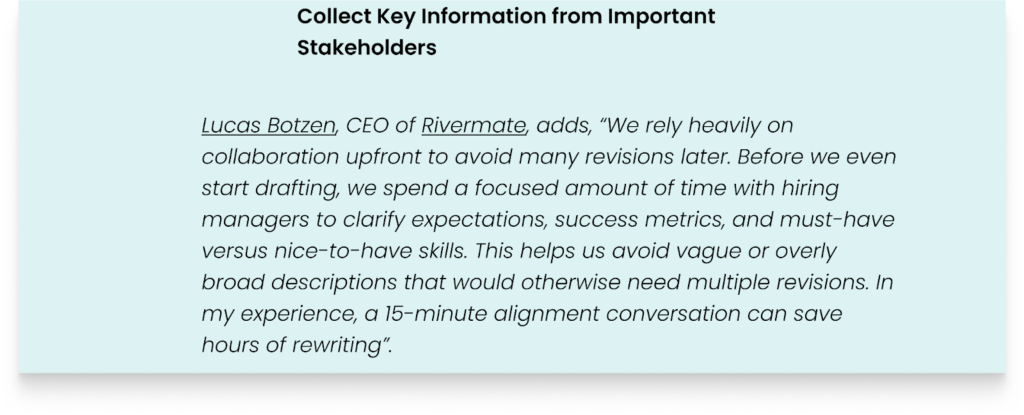
Lucas Botzen, CEO of Rivermate, adds, “We rely heavily on collaboration upfront to avoid many revisions later. Before we even start drafting, we spend a focused amount of time with hiring managers to clarify expectations, success metrics, and must-have versus nice-to-have skills. This helps us avoid vague or overly broad descriptions that would otherwise need multiple revisions. In my experience, a 15-minute alignment conversation can save hours of rewriting”.
8. Have Clarity
Clarity guides your job description creation process.
If you don’t know the type of job description you want to create, all of you creating the JD won’t understand what’s expected of you.
You’ll spend 70% of the time reconciling conflicting information.
For instance, if there’s no set guideline on the language to use, you’ll find everyone using the language they feel like using. And you’ll all spend hours trying to use easy-to-understand language for candidates.
So to prevent this clarity confusion when creating your JDs, have a meeting to understand what the role is about, each person’s tasks, and then document all the information you’ve discussed.
9. Create an Organized Approval Workflow Process
A disorganized JD approval workflow drags job description creation because you waste time waiting for the right person to approve the JD.
And since multiple stakeholders must approve the JD, the process may take weeks. But with a good approval process, the process takes a day.
The most common signs that your approval process is slow are:
- It takes longer to approve the JD than to even fill the job itself
- You all can’t identify which JD is final for approval
- You don’t have an audit trail to identify who approved and who didn’t
So, to build an effective approval process, create an automated approval workflow. This ensures that everyone gets a notification when their turn for approval reaches. And you can identify the approval stages where the JD takes longer than normal.
Read also: Taming the JD Approval Beast: How to Speed Up Hiring with Role-Based Workflows
10. Use Job Description Software
Job description software eliminates all manual processes that slow your JD process. The tool doesn’t only help with JD writing, but it also takes into account your entire job description management process.
For instance, JD software such as Ongig Text Analyzer simplifies your JD process in some of these ways:
- You get a cloud library so all your JDs live in one place, and you don’t have to start creating all JDs from scratch.
- Easily create and store JD templates. Or use templates that Ongig recommends when building the JD.
- Ongig lets you build a permission-based access control collaboration process. So no one does work they aren’t supposed to touch.
- You get effective version control, thus reducing JD confusion naming.
- Easily build an approval workflow with different stages that you can track to understand all your approval steps.
- Ongig provides an efficient ATS integration with your popular ATS tools.
- Ongig provides you with live content guidance. The tool helps you create inclusive JDs, provides suggestions to improve readability, and highlights exclusionary words to remove. For instance, in the image below, Ongig recommends the writer remove the word “type” because it implies that the applicant has hands. What if the applicant inputs data into their computer using their voice?
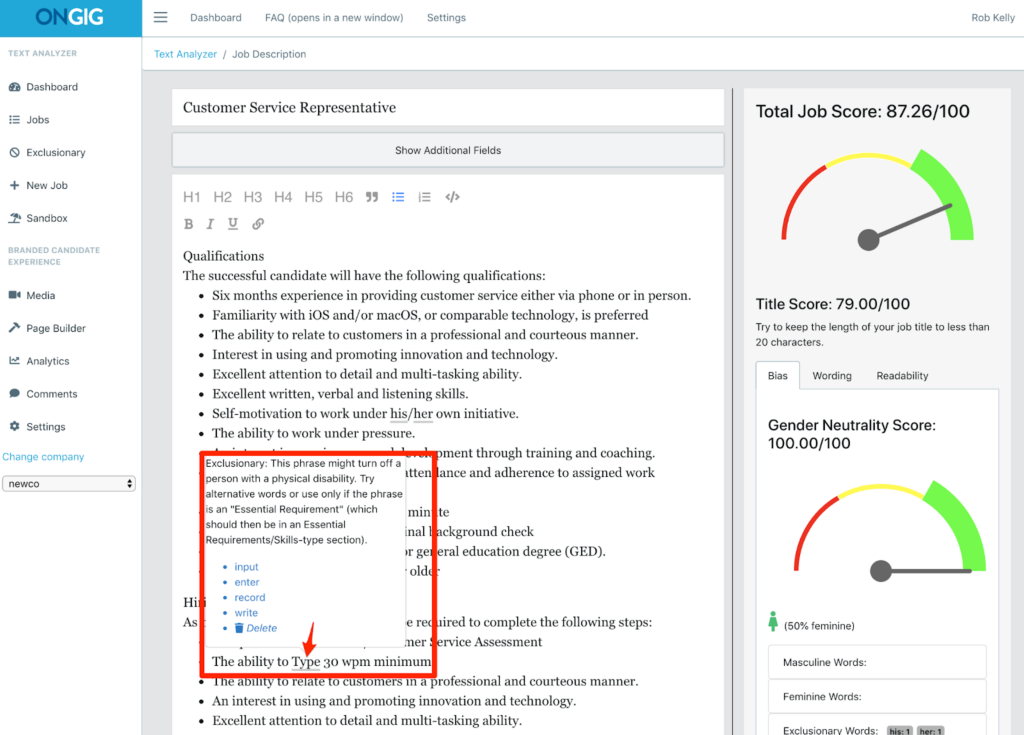
Image from Ongig Text Analyzer
Read also: 10 Helpful Ways Ongig Makes The Job Description Process More Effective
11. Copy and Modify Your Old Job Descriptions
You don’t have to start writing all your job descriptions from scratch if you’re hiring for a similar role you’ve hired for before.
And this is where a live job description library comes in handy. It’ll help you locate the specific job description you’re looking for.
After getting the JD you want to copy from, use only 70% of the common elements. And use the remaining 30% to add any unique components of the new JD.
For instance, you can update details such as key duties and responsibilities to reflect the new JD you’re creating.
12. Build a Job Description Checklist
Even with a perfect JD workflow, mistakes happen.
And some details get lost. So, create a checklist to confirm the accuracy of your JD before publishing it. This will reduce any time wastage at the last minute when you realize that the JD is missing some information:
Here’s a checklist to use:
- Is the job title clear?
- Is there a job summary
- Are the responsibilities in the job description action-oriented?
- Is the language inclusive?
- Have you included must-have and nice-to-have requirements?
- Have you included the salary range and benefits?
- Is the JD scannable?
- Have you explained the purpose of this job opening?
This is only a sample checklist to guide you. Check the core information your JD must have and add that to your checklist.
FAQs: Tips To Speed Up Your Job Description Creation Process
1. WHAT ARE THE DIFFERENT WAYS I CAN IMPLEMENT TO CREATE JOB DESCRIPTIONS FAST?
The most effective way is to invest in a good JD software that doesn’t focus only on the JD creation part but focuses on defining your JD management process, from writing, drafting, reviewing, approving, and creating a collaboration process. Plus helping with ATS integration.
2. HOW DOES A JOB DESCRIPTION SOFTWARE HELP SPEED UP THE JOB DESCRIPTION PROCESS?
Job description software simplifies your entire JD management process. It helps create a collaboration process, define approval, help with template creation, provide a cloud library, and use AI to help you write JDs.
3. ARE THERE JOB DESCRIPTION SECTIONS I CAN PRE-FILL TO SAVE TIME?
Yes. You can pre-fill boilerplate sections such as EEO/Diversity Statements, “About Us”, “Benefits”, and the application instructions for all candidates. Create and store all this in a central location or build a template.
4. HOW CAN I SPEED UP MY JOB DESCRIPTION APPROVAL PROCESS?
Create an automated approval process. Let everyone approve the JD in stages by creating an approval workflow that lets each person receive a personalized email alert with a link to the JD and an attached deadline.
WHY I WROTE THIS:
To attract and hire top candidates, you have to speed up your job description process. And it’s impossible to speed up your JD process through a manual process of using non-specialized JD management tools.
Our mission at Ongig is to help speed up your job description journey while still ensuring you’re writing effective JDs.
So schedule a demo today to learn how we can help you quickly create good JDs.
