The reason you can’t pinpoint why you’re missing your JD publishing date is that you have a manual job description workflow that doesn’t provide you with visibility.
Traditional JD workflows don’t help you manage your job description process; instead, they create chaos. For instance, they create a time-consuming process for creating the JD. And they don’t help build a good collaboration process, an effective approval workflow, and a centralized JD.
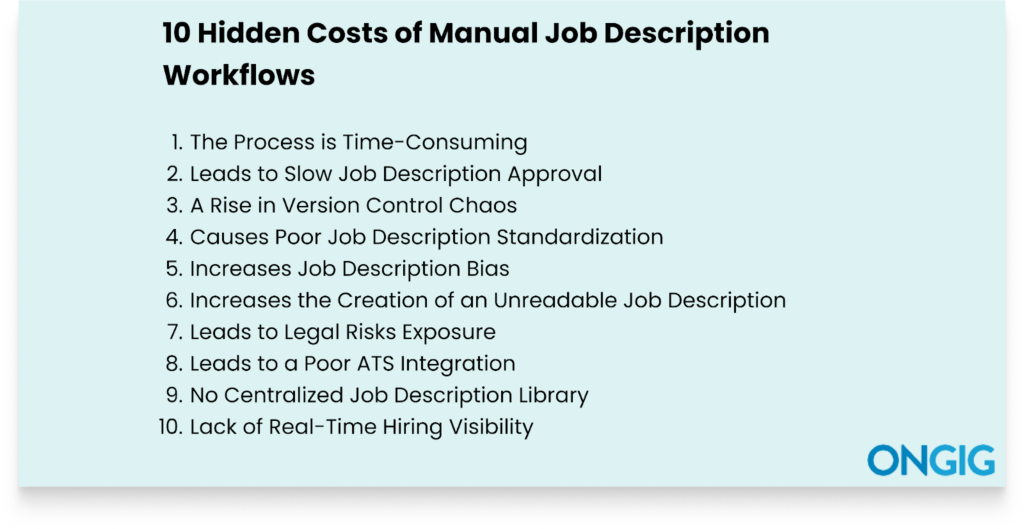
So in this article, I’ll help you understand more hidden costs of manual job description workflows and how they negatively impact your hiring efforts.
Let’s dive in.
1. The Process is Time-Consuming
Manual JD workflows create an inefficient process that wastes your time.
To start with, each time you have a JD need, the process starts from scratch. You also don’t have a centralized library where you can use past JDs as inspiration.
And you also don’t have any customizable templates you created and stored for later use.
Plus, there’s no way to organize your JD working process to increase efficiency. For instance, with the manual JD workflow:
- Your collaboration process is chaotic
- You don’t have an effective version control process
- There’s no structured JD submission and approval process
- Your JD revision process is messy
And you also don’t get live content guidance when writing the JD, so you end up producing an ineffective JD.
WHY YOU NEED JOB DESCRIPTION SOFTWARE FOR SPEED
This is where job description tools come in to help simplify and speed up your job description process. For instance, Ongig Text Analyzer speeds up your JD process through:
- Organized User Management: Ongig helps you build a collaboration process with all your team members. And everyone gets permission-based access. So there’s no conflicting edits.
- AI-Powered JD Writing: Generate a comprehensive JD quickly by entering your job title. Thus, eliminating starting from scratch.
- Personalized Template Building: Select a template Ongig recommends, which includes key sections for building a comprehensive JD.
- Content Optimization: Once AI has drafted the JD, use Ongig’s optimization features. Click “Optimize Content” to minimize various types of bias, shorten sentences, and boost readability. The software also further highlights any exclusionary words and phrases in the JD. After this, you’ll see your JD score improve.
Tip: Learn more about the process in this short 4-minute video if you prefer video learning.
2. Leads to Slow Job Description Approval
Job description approval involves different stakeholders. And depending on your organization’s structure, you might have approval stages for hiring managers, legal team, DEI team, and the compensation team.
But if you have a manual JD approval process, it means:
- There’s unclear ownership on who’s responsible for what approval
- You’re chasing all these stakeholders via email or physically to get their input
- There’s an inconsistency in review rules; some roles undergo legal approval, others don’t
- You don’t have visibility on who’s stalling the approval
- Everyone’s constantly missing their deadline
And before you realize it, this approval mess stalls your JD process for weeks.
WHY YOU NEED JOB DESCRIPTION SOFTWARE FOR JD APPROVAL
Here’s how job description tools simplify your approval process:
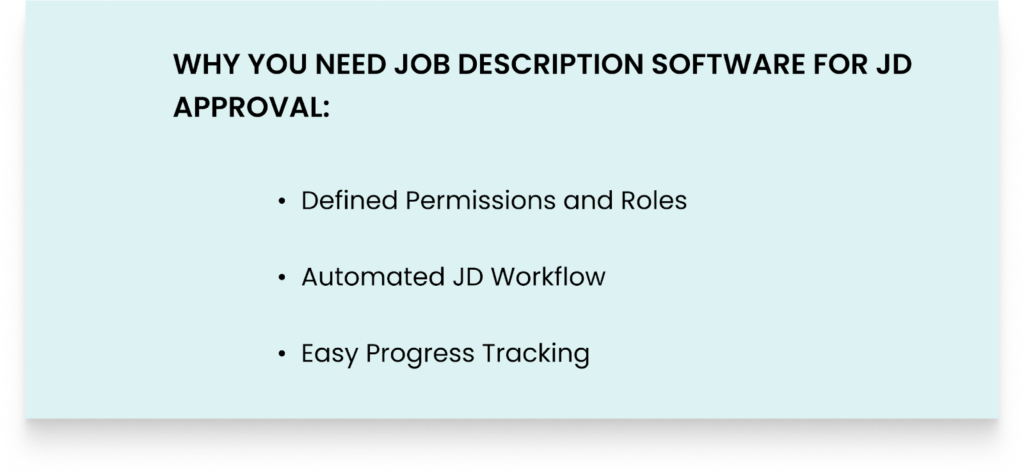
- Defined Permissions and Roles: Not everyone on your team needs to see all the JDs. So you can assign work to everyone based on their roles and the permissions you set.
- Automated JD Workflow: Instead of everyone getting the JDs at once and you later starting to chase them for approvals, you create a smart JD approval. So everyone receives a notification once it’s their turn to review and approve. And you send this notification through personalized email alerts with a link to the JD and a set deadline.
- Easy Progress Tracking: JD software provides comprehensive visibility into your approval process. You can see who’s stalling the JD, who’s approved, the JDs in review, and the timeline to finish the work.
Switching to this type of approval will take your JD process from weeks of approval to same-day approvals.
Read also: Stuck in JD Approval Purgatory? Why Job Descriptions Stall—And How to Fix It
3. A Rise in Version Control Chaos
Poor version control eats up your team’s productive time because each time they’re doing repetitive work of trying to reconcile edits.
And unfortunately, when creating your JDs manually, there’s no way to enhance effective version control since your JDs don’t have a central location.
So your team doesn’t only come across version confusion, but it also experiences more challenges, such as:
- Having JDs with conflicting edits
- Creating JDs with outdated content
- Writing JDs with misleading information
- Building JDs with no compliance audit
And having collaboration challenges because there’s no way to centralize the working process. In the end, you publish the JD late.
WHY YOU NEED JOB DESCRIPTION SOFTWARE FOR EFFECTIVE VERSION CONTROL
Here’s how JD software simplifies your version control process:
- Provides Centralized Repository: A live cloud storage is the key to having a good version control process because all your JDs live in one place. And everyone can access them. And they can work collaboratively from one place.
- JD Version Comparison: Quickly scan two JDs you’ve worked on to identify the one that qualifies for what you want. And select the one you want.
- Automatic JD Version Update: If a new version of the document gets created, it updates for everyone on your team. So no team members work on the outdated version of the document. This reduces version confusion that would have arisen later.
- Provides an Audit Trail: The tool provides an audit trail that shows who’s worked on what. This helps understand who’s responsible for what work. And if everyone makes a mess or stalls the JD, then you can see.
4. Causes Poor Job Description Standardization
Manually maintaining JD consistency is a big challenge, especially if you’re creating a bulk of JDs or growing rapidly.
This is because there are different consistency factors you have to put in mind to create an effective JD, such as:
- Ensuring salary ranges are correct for all similar roles
- Eliminating mixed-up tone and language
- Checking that there’s no confusing information
- Maintaining JD readability
- Using only current information
- Ensuring consistent formatting
- Eliminating different types of bias
With a manual process, once you start publishing your JD, you end up realizing that the JD has different consistency issues. And you start editing the JD once again, hence using a lot of hours.
WHY YOU NEED JOB DESCRIPTION SOFTWARE FOR JD STANDARDIZATION
Job description software makes it easy to create standardized JDs in some of these ways:
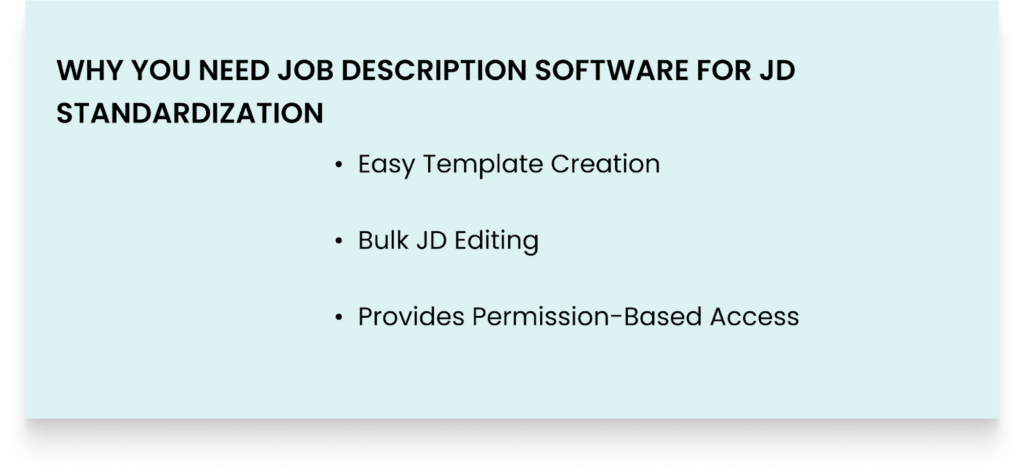
- Easy Template Creation: Job description software simplifies the creation of good templates that include all important components, such as job title, key responsibilities, key experience, and more. Using a template means you don’t start creating your JD from scratch. This reduces consistency issues that arise when manually creating the JD.
- Bulk JD Editing: Manually performing bulk updates for JDs increases the chances of creating JDs with standardization issues. Plus, it’s a tiresome process. So JD software makes it easy to apply a template for all your bulk JDs.
- Provides Permission-Based Access: Job description software makes it easy to create an access-based collaboration process that ensures each person only does their right tasks. And this reduces any consistency issues that might arise because of someone editing work they aren’t supposed to edit.
Read also: How Global Talent Teams Standardized Job Descriptions (Without Slowing Down Hiring)
5. Increases Job Description Bias
Your job descriptions might quietly turn away qualified candidates from different backgrounds without you even realizing it.
This is because of the many unconscious biases present in job descriptions.
But manually ensuring you choose the right words for such a diverse workforce in the current market is not easy. For instance, you have to eliminate biases such as:
- Gender Bias: You need to use inclusive, gender-neutral words. For instance, don’t use words such as “competitive” and “dominant” because they make female candidates not apply for your job openings.
- Age Bias: Your JD needs to welcome people of all ages. For instance, don’t use terms such as “recent graduate” or “digital native” since they discourage older candidates from applying for job openings.
- Ability Bias: Don’t use words that disqualify candidates living with a disability. For instance, don’t say must be able to lift 50lbs.
- Race Bias: Don’t use words that are known to offend some candidates based on their race.
And the above are a few examples of the bias you have to eliminate from your job descriptions; there’s more.
So before publishing that JD, ask yourself if this is inclusive to women, LGBTQ+ individuals, people with mental health challenges, individuals with felony status, etc.
WHY YOU NEED JOB DESCRIPTION SOFTWARE FOR JD BIAS HELP
Job description software flags different types of biased words and phrases in your JD. Here’s how:
- Encourages Focus on Skills: If you list too many requirements, the tool recommends you list essential requirements only because listing too many JD requirements discourages some diverse candidates from applying to job openings.
- Biased Language Flagging: The software picks up dismissive words that arise as you write your JD. And tells you why that particular word or phrase is dismissive. And then provides inclusive phrases to use.
- Bias Inclusion Score: You get a score that highlights the overall inclusiveness of your JD. So you can eliminate any biased phrases still affecting the JD.
- Job Description Templates: The software makes it easy to build and reuse bias-free templates to use across all your JDs
6. Increases the Creation of an Unreadable Job Description
Candidates read a job description the same way consumers scan a product to make a decision. So in a few minutes, they need to scan your job description to understand if they’re qualified.
But creating readable job descriptions manually is tedious and prone to human errors.
Readability in job descriptions depends on many different factors. And it’s difficult to maintain all those factors using a manual process. For instance, you need to ensure:
- The job description language is inclusive of different types of people
- There are no unnecessary words, such as adverbs
- You’re using fewer words per sentence
- Proper formatting
- There are no blocks of text or paragraphs
- That the job descriptions aren’t too long or too short
- There’s no technical jargon or terms
And that you’re using easier words with fewer syllables because candidates struggle reading words with many syllables.
WHY YOU NEED JOB DESCRIPTION SOFTWARE FOR JD READABILITY
Here’s how JD software improves your JD readability:
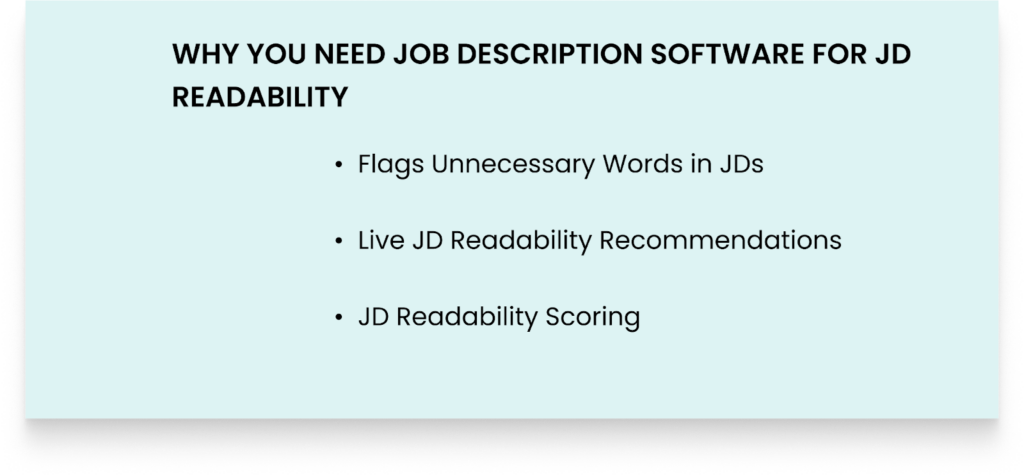
- Flags Unnecessary Words in JDs: Job description tools check for any unnecessary words in your JD, such as adverbs and complex words that add no meaning to the JD. For instance, a good JD software will recommend removing words such as “in order to” because it’s a complex word that you can replace with “to”.
- Live JD Readability Recommendations: The software highlights points to improve your JD as you’re creating it. For instance, you might get recommendations such as to cut the sentence length, examples of jargon words to remove, and good formatting to use.
- JD Readability Scoring: Once you’re done writing the JD, you’ll see a score that helps you further understand your JD readability. This gives you room to continue boosting the JD readability.
7. Leads to Legal Risks Exposure
Manually written job descriptions are a legal risk. Because there’s no set standard procedure to ensure no compliance gaps occur.
For instance, with a manual JD workflow, anyone on the team can sometimes approve content that they aren’t supposed to.
Plus, with a manual JD process, the chances of unconscious biased language creeping into the JD are high. So you’ll find yourself producing discriminative JDs for particular groups of people.
And biased language can get you on the wrong side of employment law.
Also, if you’re creating your JD manually, you don’t get to have a comprehensive audit trail. For instance, you can’t show who worked on what, and who reviewed what. And you can’t prove who approved the JD for publishing.
WHY YOU NEED JOB DESCRIPTION SOFTWARE FOR COMPLIANCE HELP
Job description tools help you with compliance in these ways:
- Easy Approval Workflow Process: Job description software lets you create a comprehensive approval process that shows who was responsible for what approval. This works as a good audit trail during any legal challenge.
- Automated Employment Law Updates: Job description platforms stay up to date with labour laws. So if there are any changes, it offers guidance and provides templates to reflect the changes.
- Inclusive Language Improvement: The platform scans your JD content to identify the phrases and words that might cause you trouble with employment laws.
- Salary Transparency: There’s an increase in the need for salary transparency. And in some states, if you don’t include salary, it might get you on the wrong side of labour law. So the software flags or reminds you to include salary.
Read also: How to prepare for an OFCCP compliance audit (+ free OFCCP compliance checklist)
8. Leads to a Poor ATS Integration
Manually created JDs don’t have centralized storage. So that means all the JD data exists in silos. And because of this, there’s no seamless way to post your JDs to your ATS automatically without doing a lot of redundant work.
So you have to start formatting the JDs to publish them to your ATS.
WHY YOU NEED JOB DESCRIPTION SOFTWARE FOR ATS INTEGRATION
Job description platforms create an effective system integration with your ATS that helps in:
- One-Click Posting: The integration of the two tools makes it easy to automatically publish your JDs to your preferred ATS, thus removing the manual entry process that’s prone to errors.
- Data-Driven Hiring Insights: Easily check the efficiency of your job postings by tracking hiring metrics such as time-to-hire, source-of-hire, and application rates data within your ATS.
- Efficiency and Time Saving: The integration process is automatic, so after writing your JD, you don’t have to worry about editing it again to publish your ATS, thus saving time.
- Enhanced Employer Branding: You get to publish consistent and branded JD descriptions across different sites and channels that improve your organization’s brand.
9. No Centralized Job Description Library
Manually writing job descriptions means your JDs lack centralized storage.
It means the JDs are scattered in different files, Word Documents, Google Drive, and Google Docs. This makes it hard for everyone on the team to access the JDs.
And this lack of JD centralized storage means you’ll find yourself:
- Writing job descriptions from scratch each time
- Having a poor collaboration process
- Not getting feedback on time
- Experiencing a slow approval process
- Publishing a JD with conflicting edits
And due to these challenges, you’ll continue to publish your JD late, hence missing out on top talent.
WHY YOU NEED A JOB DESCRIPTION LIBRARY
A centralized JD library helps in different ways, such as:
- Easy JD Creation: You don’t have to manually start building your JDs from scratch since you have a library of all your JDs. So you reuse your old JDs or even use the whole old JD and edit for uniqueness.
- JD Standardization: Since all your JDs are in a central place, it’s easier to check if they all follow standardized formats, language, content guidelines, and best practices.
- JD Searching and Filtering: All your JDs get a searchable repository library, so if you want to access any JD, you simply search and filter by department, title, and any keywords you think will get you the JD. You don’t have to manually scroll through many files looking for one JD document.
- Creating Customized Templates: Easily build and store templates that you can use for different JDs in your JD library. Plus, you can apply these templates to any batch of JDs you’re editing that have similar components.
Read also: 10 Surprising Hidden Costs of Not Having a Centralized Job Description Library
10. Lack of Real-Time Hiring Visibility
In any organization, leaders need to understand the hiring pipeline. And how it’s tracking against business goals.
And effective job descriptions are the foundation of a successful hiring pipeline.
But if you have manual JD workflows that include using spreadsheets, email threads, Google Drive, and Word Documents, that means your JD lives in isolation.
So it becomes impossible to track important recruitment data in real time. For instance, you can’t answer questions such as:
- What’s the number of open roles you have?
- Which open critical roles do you need to fill in the next 3 months?
- When do we expect the approval of this role?
- What’s the average time we take to write and publish a JD?
- Which JD step takes a long time to accomplish?
Without this visibility, your job description process works on assumptions. And you miss out on top talent.
WHY YOU NEED JOB DESCRIPTION SOFTWARE FOR HIRING VISIBILITY
To sum it up, job description software centralizes your entire job description process.
All the data is in one live location, and everyone works from one place. For instance:
- You can study all your JDs to understand the number of open roles
- You can track your approval process to understand which steps cause delays
- You get effective version control to understand your edits and who made them. Plus, you can compare different versions of your JD to select the better one.
- You can catch any compliance leaks in real time
- If you identify critical roles to fill, you’re able to use templates to speed up the process
- Easily create a collaborative workflow with access-based permissions to reduce any chaotic working process
With this centralization of the job description process, you can answer any questions concerning your hiring process.
Using Both AI and Manual Approaches When Writing Job Descriptions
AI for writing job descriptions offers more benefits than the manual process.
But using the two approaches offers more advantages because you can minimize each approach’s limitations. For instance, you can decide to write the first draft with the help of AI. And manually review the JD instead of relying on the AI’s output.
So, to succeed with the two approaches, create documentation that guides your team.
In your documentation, you can have information such as:
- We’ll create the first draft using AI
- AI will guide us on the keywords and job titles to use
- We can do job ad quality control through AI
- AI will check for any bias
- We’ll get keywords through AI automation
- A human will review what AI outputs at each stage
- The last person to make a judgment is the hiring manager
This documentation will reduce any back-and-forth when using the two approaches.
FAQs: Hidden Costs of Manual Job Description Workflows
1. HOW DO I IDENTIFY THAT I’M OPERATING USING A MANUAL JOB DESCRIPTION WORKFLOW?
If you operate using disconnected platforms such as Spreadsheets, Word documents, and Google Drive, it means your JD creation process lacks a centralized location. So writing, drafting, reviewing, and approving become chaotic because they involve passing documents and feedback back and forth.
2. HOW DOES A MANUAL JOB DESCRIPTION WORKFLOW INFLUENCE CANDIDATE QUALITY AND HIRING SPEED?
A manual JD workflow is slow. The process of creating, drafting, reviewing, and approving the JD takes longer than it should. So you miss out on hiring top talent in the market.
3. HOW DO MANUAL JOB DESCRIPTION WORKFLOWS CONTRIBUTE TO LEGAL RISK?
A manual JD process often has no comprehensive audit trail. Also, it becomes difficult to ensure your JD complies with the many different employment laws.
4. HOW DOES A MANUAL JOB DESCRIPTION WORKFLOW BECOME A BARRIER TO SCALING?
If your organization grows and hiring needs increase, with a manual JD workflow, your team will spend time coordinating the hiring process. They won’t have enough time to focus on ensuring the whole hiring pipeline is a success.
WHY I WROTE THIS:
A manual JD process tricks you into thinking you’re creating good JDs. But once you analyse your JDs, you identify lots of hidden issues such as JD bias, standardization inconsistencies, and legal risks creeping in.
And with more analysis, you realize that your JD management process is a mess, with no proper collaboration, no automated approval workflow, and poor version control. So schedule a demo today to learn how we can simplify your JD management process.
