
- How to See Ongig in Minutes (Before You Book a Demo) - March 26, 2026
- 25+ Examples of Diversity Goals to Measure (2026 Update) - March 24, 2026
- The Popsicle Problem: Why Your Career Site Feels So Hard to Manage - March 23, 2026
I have noticed a trend recently. People looking for job description management platforms want quick results during their “exploration phase”. I think it has a lot to do with AI tools being so fast when you ask a question about any topic. I know when I am looking for new software or tools I like to see what I might get fast, and I am a sucker for quick videos.
So I figured, why not make a few quick videos to show exactly what Ongig does before requesting a full custom demo?
If you’ve ever wrestled with job descriptions, your career site, or your ATS breaking things, this is for you.
Why I Made These Quick Demo Videos
I’ve been on calls where someone says, “We’re still managing JDs in Google Docs…don’t judge.” No judgment, I’ve seen it everywhere.
Shared drives. Old Word docs. Copy/paste chaos. Version control nightmares.
And then the next question hits: “What would better even look like?”
That’s where these videos come in.
Instead of reading another long blog or sitting through a 30-minute demo, you can now see how Ongig works in minutes.
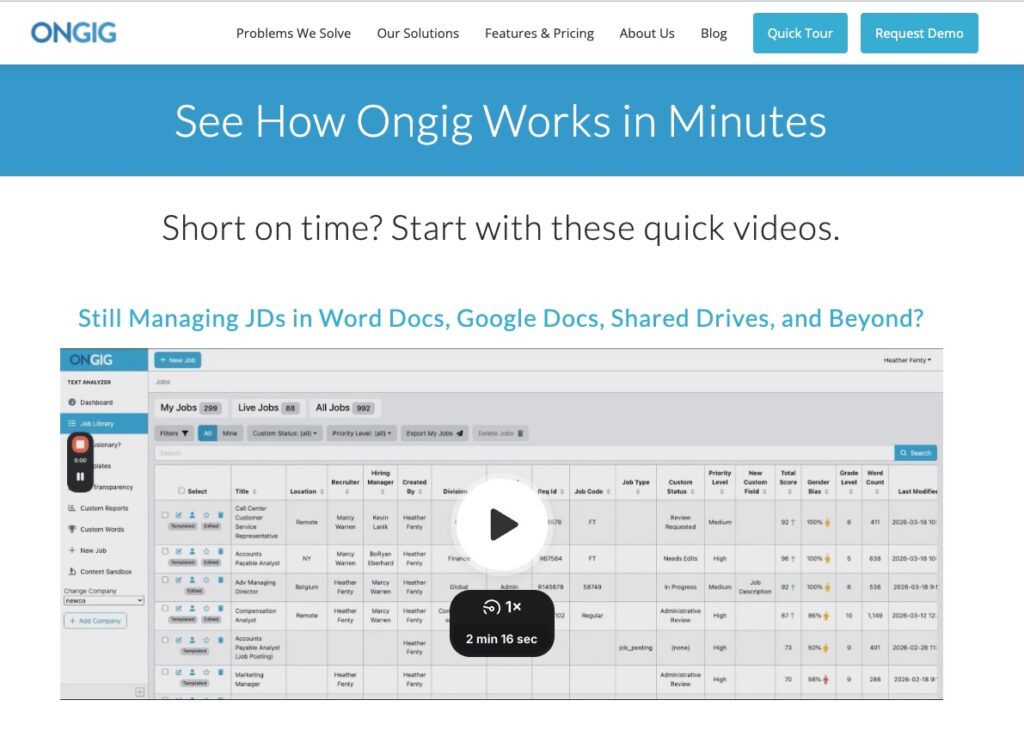
What You’ll Learn in the 5 Quick Videos
Each video is less than 5 minutes and answers a real question I get from TA teams every week.
1) Still Managing JDs in Docs and Shared Drives?
If your JD process feels like a scavenger hunt, you’re not alone.
I’ve seen teams spend more time finding the right JD than actually improving it. This video shows how to bring everything into one place — without the mess.
2) Stop Rewriting the Same JD 100 Times
This one hits a nerve.
Recruiters shouldn’t be rewriting the same role over and over. It’s a waste of time and leads to inconsistent messaging.
I walk through how templates actually work in the real world (not the “in theory” version).
3) How Teams Stay Compliant at Scale
Compliance is one of those things you don’t think about…until it’s a problem.
I’ve talked to teams where legal, comp, and TA all touch the same JD — and no one’s sure what’s final.
This video shows how teams stay aligned without slowing everything down.
4) From Draft to Publish (Without Breaking Your Process)
Here’s a common pain point: the handoff.
You draft a JD…then it gets emailed, edited, re-edited, and eventually posted somewhere (hopefully correctly).
I show what it looks like to go from draft to publish in one clean flow.
5) Why JDs Break Your ATS (and What to Do About It)
This one surprises people.
Your ATS wasn’t really built to manage rich, modern job descriptions. So things break…formatting, branding, even candidate experience.
I explain why that happens and how to fix it without ripping out your ATS.
Who These Videos Are Actually For
I made these with a few people in mind:
- Recruiters tired of copy/paste JD work
- TA leaders trying to standardize content
- Comp teams worried about consistency and compliance
- Anyone thinking about a career site refresh
If you’re Googling things like “job description management software” or “career site makeover,” these videos are a fast way to get your bearings.
Why This Matters (More Than It Seems)
Job descriptions don’t feel strategic. Until they are.
They touch everything:
- Your employer brand
- Your candidate experience
- Your compliance risk
- Your speed to hire
I’ve seen teams fix their JD process and suddenly:
- Hiring managers stop pushing back
- Candidates actually read the job posts
- Legal stops flagging issues late in the process
It’s one of those small levers that has a big ripple effect.
Watch the Videos Before You Book a Demo
If you’re even a little curious, start here:
See How Ongig Works in Minutes →
No pressure. Just a quick look at how it all works.
Then, if it clicks, you can go deeper.
Why I Wrote This
I wrote this because I kept hearing the same request: “Show me quickly.” So instead of making people sit through a full walkthrough, we built a faster way to learn.
If you’re dealing with messy JD processes, inconsistent content, or a clunky career site, Ongig can help clean that up and scale it. You can request a demo here to see it in action for your team.
FAQs
What is job description management software?
It’s a tool that helps you create, edit, store, and publish job descriptions in one place instead of juggling docs and spreadsheets.
Why do job descriptions break ATS formatting?
Most ATS platforms aren’t built for rich content, so formatting, branding, and structure often get lost when JDs are pasted in.
How do templates help recruiters?
Templates save time and keep messaging consistent so recruiters don’t have to start from scratch for every role.
Can this help with compliance?
Yes. Centralizing JDs and controlling edits makes it easier to stay aligned with legal and compensation requirements.
When should I book a demo?
If the quick videos resonate and you want to see how it fits your workflow, that’s the perfect time to book a deeper demo.
